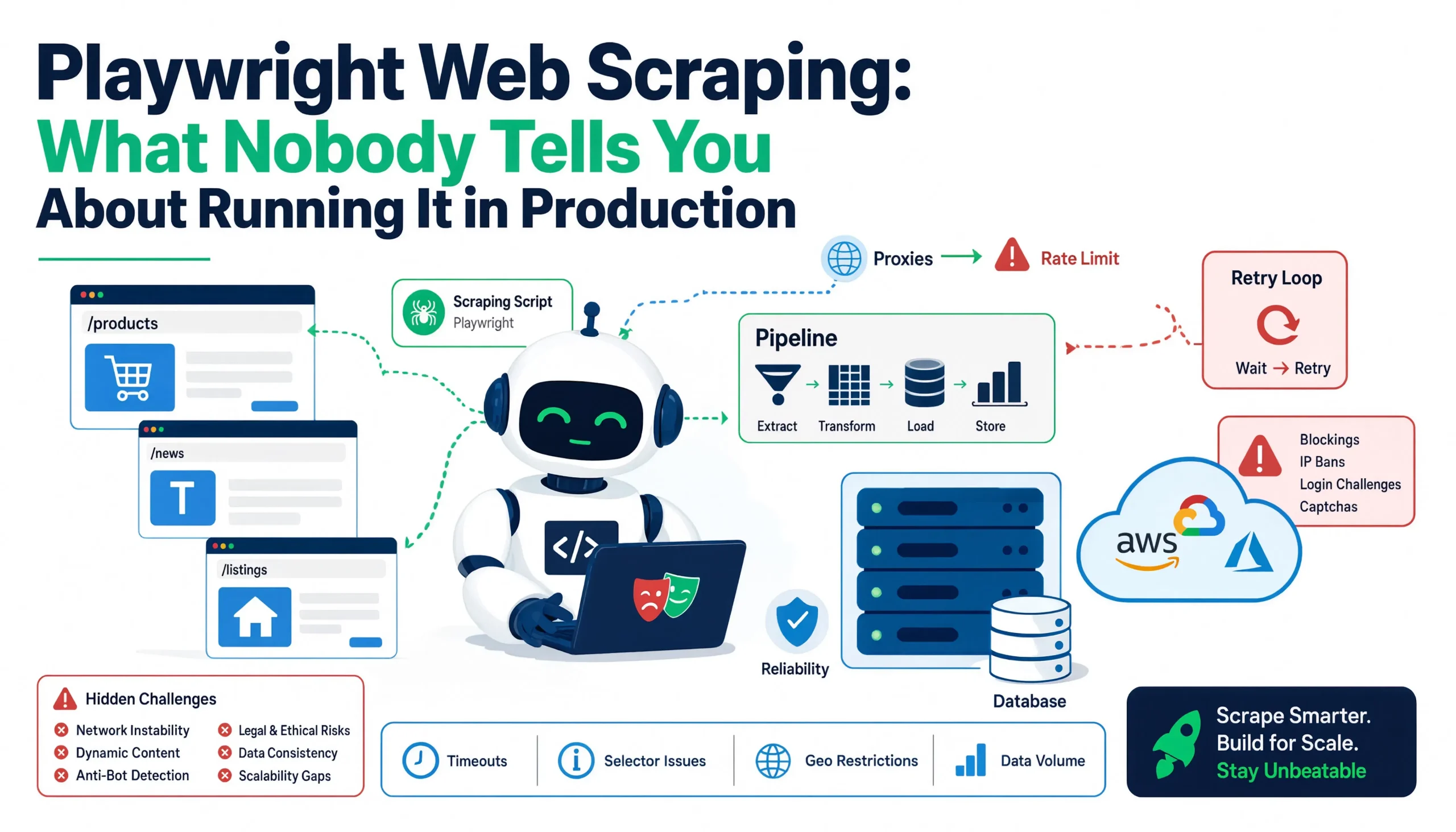
I still remember the first time I watched a headless browser pull data from a JavaScript-heavy site that had been stonewalling my Requests-based scraper for weeks. It felt like magic. The page loaded, the content rendered, and the data appeared in my terminal. I thought I had solved web scraping forever.
That was five years ago. Since then, I have burned through thousands of dollars in proxy bills, debugged memory leaks at 3 AM, watched anti-bot systems evolve faster than my countermeasures, and learned that Playwright is not a magic wand. It is a power tool. And like any power tool, it will hurt you badly if you do not respect it.
This guide is what I wish someone had handed me on day one. Not the basics, you can find those in the official docs. I am talking about the production realities: the hidden costs, the architectural decisions that separate working scrapers from reliable pipelines, and the anti-bot arms race that never ends. Everything here comes from real projects and real failures.
Why Playwright Won the Headless Browser War
Let us get the obvious question out of the way. Playwright, Puppeteer, Selenium, so why does Playwright dominate scraping conversations in 2026?
The short answer is that Microsoft built it right. The team behind Playwright came from Google, where they created Puppeteer. They took everything they learned, added multi-browser support, built auto-waiting into the core API, and made network interception a first-class citizen. The result is a tool that handles the three hardest problems in modern scraping, dynamic rendering, timing reliability, and network visibility better than anything else on the market.
Here is the comparison that matters in practice:
| Feature | Playwright | Puppeteer | Selenium |
|---|---|---|---|
| Browser support | Chromium, Firefox, WebKit | Chromium only | All via drivers |
| Auto-waiting | Built-in | Manual | Manual |
| Network interception | First-class | Basic | Limited |
| Speed | Fast | Fast | Slow |
| Stealth plugins | playwright-extra | puppeteer-extra | seleniumwire |
For scraping, the auto-waiting alone is a game-changer. With Selenium or Puppeteer, you manually insert sleep delays and hope the page finishes loading. With Playwright, page.goto(url, wait_until='networkidle') pauses execution until the browser has not made a new network request for 500 milliseconds. That is the difference between brittle scripts and reliable pipelines.
But here is what the feature tables do not tell you: Playwright is detectable. Every headless browser is detectable. The question is not whether you can be caught. It is how much effort the target site spends catching you, and whether your setup justifies that effort.
The Basics: A Playwright Scraper That Actually Works
Before we get to the hard stuff, let us establish a baseline. Here is a scraper that works on most dynamic sites without getting blocked immediately.
from playwright.sync_api import sync_playwright
from bs4 import BeautifulSoup

def scrape_with_playwright(url, selector):
    with sync_playwright() as p:
        browser = p.chromium.launch(
            headless=True,
            args=['--disable-blink-features=AutomationControlled']
        )

        context = browser.new_context(
            user_agent='Mozilla/5.0 (Windows NT 10.0; Win64; x64) AppleWebKit/537.36',
            viewport={'width': 1920, 'height': 1080},
            locale='en-US',
            timezone_id='America/New_York'
        )

        page = context.new_page()

        # Remove the navigator.webdriver leak
        page.add_init_script('''
            Object.defineProperty(navigator, 'webdriver', {
                get: () => undefined
            });
        ''')

        # Block unnecessary resources to speed up loading
        page.route('**/*', lambda route: route.abort()
            if route.request.resource_type in ['image', 'stylesheet', 'font', 'media']
            else route.continue_())

        page.goto(url, wait_until='networkidle')
        page.wait_for_selector(selector, timeout=10000)

        html = page.content()
        soup = BeautifulSoup(html, 'html.parser')
        data = soup.select_one(selector).get_text(strip=True)

        browser.close()
        return data
This is not a toy example. This is the minimum viable setup I use on every new project before I know what I am dealing with. It launches Chromium in headless mode, patches the most obvious automation leak, blocks resource types that slow scraping without providing data, waits for the network to settle, and then waits for the specific element I need.
The --disable-blink-features=AutomationControlled flag removes the navigator.webdriver property that Chrome sets in headless mode. The add_init_script call patches it via JavaScript as a backup. The resource blocking cuts load times by 30 to 60 percent on media-heavy sites. These are not optional optimizations. They are mandatory for any scraper that runs more than a few pages.
The Hidden Cost Nobody Talks About: Infrastructure
Here is the truth that tutorial writers avoid: Playwright is free, but running it at scale is expensive in ways that do not show up on your pip install receipt.
Memory Consumption Will Destroy You
A single Chromium instance consumes 200 to 500 MB of RAM. Open ten pages in that instance and you are looking at 1 to 2 GB. Run fifty concurrent scrapes and you need a server with 64 GB of RAM just for the browsers, before you account for your application, database, or queue workers.
I learned this the hard way on a project scraping real estate listings. I spun up 100 concurrent Playwright instances on a 16 GB DigitalOcean droplet. It worked for about three minutes. Then the kernel started killing processes. Then the scraper started returning partial data from browsers that crashed mid-render. Then I spent six hours debugging what turned out to be an OOM killer issue, not a code bug.
The fix is browser pooling. You maintain a fixed number of browser instances, each handling multiple pages in rotation, with strict limits on concurrent pages per browser. Here is the pattern I use now:
from playwright.sync_api import sync_playwright
from queue import Queue, Empty
import threading

class BrowserPool:
    def __init__(self, max_browsers=5, max_pages_per_browser=10):
        self.max_browsers = max_browsers
        self.max_pages_per_browser = max_pages_per_browser
        self.page_queue = Queue()
        self.lock = threading.Lock()
        self.playwright = sync_playwright().start()
        self.browsers = []
        self._initialize()

    def _initialize(self):
        for _ in range(self.max_browsers):
            browser = self.playwright.chromium.launch(
                headless=True,
                args=['--disable-blink-features=AutomationControlled']
            )
            self.browsers.append(browser)
            for _ in range(self.max_pages_per_browser):
                context = browser.new_context(
                    user_agent='Mozilla/5.0 (Windows NT 10.0; Win64; x64) AppleWebKit/537.36',
                    viewport={'width': 1920, 'height': 1080}
                )
                page = context.new_page()
                self.page_queue.put(page)

    def get_page(self, timeout=30):
        return self.page_queue.get(timeout=timeout)

    def release_page(self, page):
        # Clear cookies and local storage between uses
        page.context.clear_cookies()
        page.evaluate('localStorage.clear(); sessionStorage.clear();')
        self.page_queue.put(page)

    def close(self):
        for browser in self.browsers:
            browser.close()
        self.playwright.stop()
This pool maintains 5 browser instances with 10 pages each, giving you 50 concurrent scraping slots while capping memory usage at roughly 5 to 10 GB. The key insight is that pages within the same browser instance share the browser core but isolate cookies and storage via separate contexts. This is the sweet spot between memory efficiency and session isolation.
The Proxy Bill Will Exceed Your Server Costs
Here is a rule I learned from painful experience: the proxy bill is usually larger than the engineering bill within six months of running a serious scraping operation.
Datacenter proxies are cheap — $1 to $3 per GB — but they get blocked by any site with decent anti-bot protection. Residential proxies cost $5 to $15 per GB but rotate through real ISP IPs, making them far harder to detect. Mobile proxies, which route through cellular networks, cost $15 to $50 per GB and are the gold standard for evading detection.
For a site protected by Cloudflare or DataDome, datacenter proxies are useless. You are burning money on requests that return 403 errors. Residential proxies work for most targets. Mobile proxies are reserved for the hardest cases — major e-commerce platforms, social media sites, and anything where a block costs you real revenue.
I now budget proxy costs at 2x to 5x my infrastructure costs for any scraping project targeting protected sites. If you are not accounting for this, your project will fail when the target site upgrades its anti-bot system and your cheap datacenter proxies stop working.
Browser Drift Will Break Your Scraper Every Six Months
Anti-bot systems evolve. Stealth patches age. A scraper that ran clean in March starts returning empty pages in June. This is not a bug in your code. It is the target site updating its detection fingerprints.
I have a scraper for a major e-commerce platform that I have rebuilt four times in two years. Each time, the site added a new detection vector: WebGL fingerprinting, then canvas noise analysis, then behavioral timing patterns, then TLS handshake inspection. Each time, I had to update my stealth configuration, rotate to fresher proxy pools, or add new evasion techniques.
This is the maintenance tax that nobody mentions in the getting-started tutorials. You are not just building a scraper. You are committing to an ongoing arms race. Budget 20 to 30 percent of your engineering time for anti-bot maintenance on any long-running scraping project.
The Smart Way: Intercepting API Calls Instead of Scraping HTML
Before you write a single line of browser automation, open the Network tab in Chrome DevTools and watch what happens when the page loads. Many modern sites — especially single-page applications built with React, Vue, or Angular — fetch their data from internal API endpoints. Those endpoints return clean JSON that is trivial to parse. The HTML you see is just a rendering layer.
Here is how I find these endpoints:
- Open Chrome DevTools, go to the Network tab, filter by “Fetch/XHR.”
- Load the target page and watch the requests.
- Look for URLs containing
/api/,/graphql,/v2/, or similar patterns. - Click each request and check the Response preview for the data you want.
- Copy the request URL, headers, and payload.
Once you find the endpoint, you can often call it directly with Requests, bypassing the browser entirely:
import requests

headers = {
    'User-Agent': 'Mozilla/5.0 (Windows NT 10.0; Win64; x64) AppleWebKit/537.36',
    'Accept': 'application/json',
    'X-Requested-With': 'XMLHttpRequest',
    'Referer': 'https://target-site.com/products',
}

session = requests.Session()
session.cookies.update({
    'session_id': 'abc123',
    'csrf_token': 'xyz789'
})

response = session.get(
    'https://target-site.com/api/products?page=1',
    headers=headers
)

products = response.json()
for product in products['items']:
    print(product['name'], product['price'])
This approach is 10 to 100 times faster than browser automation. No rendering overhead. No JavaScript execution. No memory leaks. Just HTTP requests and JSON parsing. The response is structured data, not HTML soup that needs BeautifulSoup to extract.
The catch is authentication. Many endpoints require session cookies, CSRF tokens, or bearer tokens that expire. You might need to extract a CSRF token from the page’s meta tags before each request, maintain a session pool, or handle rate limiting. But it is always worth checking first. I have seen teams build entire Playwright pipelines for sites that exposed clean REST APIs with static tokens. That is months of maintenance work that could have been a twenty-line script.
Timing Strategies: The Difference Between Empty Results and Clean Data
The most common failure mode in Playwright scraping is extracting data before the page finishes loading. The element you want exists in the HTML eventually, but your script tries to grab it while the JavaScript is still fetching and rendering.
Playwright provides several waiting strategies, and choosing the right one for each site is critical:
Wait for network idle:
page.goto(url, wait_until='networkidle')
This waits until there are no new network requests for 500 milliseconds. It works well for pages that load all their data upfront in a burst of API calls. It fails for sites that make continuous background requests.
Wait for a specific element:
page.wait_for_selector('.product-price', timeout=15000)
This is the most reliable method. You identify an element that only appears after the dynamic content loads, and you wait for it. The timeout prevents infinite hangs if the element never appears. I use this as my default strategy.
Wait for specific text:
page.wait_for_function(
    '() => document.body.innerText.includes("$")',
    timeout=10000
)
This is useful when you do not know the exact selector but know what content to expect. I use it for price-loaded indicators on e-commerce sites where the DOM structure changes frequently but the currency symbol is consistent.
Wait for a response:
page.wait_for_response('**/api/products**', timeout=10000)
This waits for a specific network request to complete. It is the most precise timing method when you know the API call that delivers your data. I use it when intercepting API calls for extraction.
Fixed timeout (last resort):
page.wait_for_timeout(5000)
This simply waits five seconds regardless of page state. It is the least reliable method and I only use it as a fallback when other strategies fail on a particularly stubborn site.
Anti-Bot Evasion: What Actually Works in 2026
Let us talk about the arms race. Modern anti-bot systems — Cloudflare, DataDome, Akamai, PerimeterX — do not just check your user agent. They fingerprint your browser at multiple levels and analyze your behavior over time.
Here is what they detect:
- Navigator properties:
navigator.webdriveristruein headless Chrome. Thepluginsarray is empty. Thelanguagesproperty might not match your IP geolocation. - WebGL fingerprinting: The browser’s graphics rendering signature differs from a real user’s GPU. Canvas noise patterns reveal automation.
- Behavioral analysis: Mouse movements are too linear. Click timing is too consistent. Scrolling happens at impossible speeds.
- TLS fingerprinting: The TLS handshake pattern of Playwright differs from a real Chrome browser. This is detected at the network level before any JavaScript runs.
- CDP detection: The Chrome DevTools Protocol itself leaves traces that advanced systems can detect, regardless of stealth plugins.
Stealth Configuration That Actually Helps
The playwright-extra plugin ecosystem patches many of these leaks. Here is my current stealth setup:
from playwright.sync_api import sync_playwright

args = [
    '--disable-blink-features=AutomationControlled',
    '--disable-web-security',
    '--disable-features=IsolateOrigins,site-per-process',
    '--disable-site-isolation-trials',
    '--disable-dev-shm-usage',
    '--no-sandbox',
    '--disable-setuid-sandbox',
    '--disable-accelerated-2d-canvas',
    '--disable-gpu',
    '--window-size=1920,1080',
]

browser = p.chromium.launch(headless=True, args=args)

context = browser.new_context(
    user_agent='Mozilla/5.0 (Windows NT 10.0; Win64; x64) AppleWebKit/537.36 (KHTML, like Gecko) Chrome/126.0.0.0 Safari/537.36',
    viewport={'width': 1920, 'height': 1080},
    locale='en-US',
    timezone_id='America/New_York',
    geolocation={'latitude': 40.7128, 'longitude': -74.0060},
    permissions=['geolocation'],
    color_scheme='light',
    reduced_motion='no-preference',
)

page = context.new_page()

page.add_init_script('''
    Object.defineProperty(navigator, 'webdriver', {
        get: () => undefined
    });

    Object.defineProperty(navigator, 'plugins', {
        get: () => [
            {name: 'Chrome PDF Plugin', filename: 'internal-pdf-viewer'},
            {name: 'Native Client', filename: 'native_client.dll'}
        ]
    });
''')
This setup patches the most common detection vectors. But here is the hard truth: advanced anti-bot systems can still detect the Chrome DevTools Protocol itself. When that happens, no amount of JavaScript patching helps. Your options are residential or mobile proxies, CAPTCHA solving services, or managed scraping APIs that handle the anti-bot infrastructure for you.
I use a tiered approach. For easy targets, basic stealth and datacenter proxies work. For medium targets, residential proxies plus stealth configuration. For hard targets, either managed APIs or a combination of mobile proxies and CAPTCHA solving. The cost increases by a factor of 10 at each tier, so I match the protection level to the value of the data.
Scaling Playwright: Architecture for Real Workloads
If you are scraping more than a few hundred pages per day, you need architecture. Not just a script. A system.
The Production Stack I Use
Job Queue: Redis or RabbitMQ holds URLs to scrape. Workers consume jobs, process them, and push results to a database. Failed jobs retry with exponential backoff.
Browser Pool: The pool I showed earlier manages 5 to 10 browser instances per worker, with 10 pages each. Workers are horizontally scalable. Add more workers for more throughput.
Proxy Rotation: Each request rotates through a proxy pool. I use sticky sessions for sites that require login state, rotating only after a session expires or gets blocked.
Monitoring: Prometheus metrics track success rate, response time, memory usage, and proxy failure rate. Alerts fire when success rate drops below 90 percent or memory usage exceeds 80 percent.
Data Validation: Every scraped record is validated against a schema. Missing fields, unexpected formats, or empty results trigger alerts and re-queue the job for retry.
Here is a simplified version of the worker pattern:
import redis
import json
from datetime import datetime, timedelta
from browser_pool import BrowserPool

class ScrapingWorker:
    def __init__(self, redis_host='localhost', queue_name='scrape_jobs'):
        self.redis = redis.Redis(host=redis_host, decode_responses=True)
        self.queue = queue_name
        self.browser_pool = BrowserPool(max_browsers=5)
        self.max_retries = 3

    def process_job(self, job_json):
        job = json.loads(job_json)
        url = job['url']
        selector = job['selector']
        retries = job.get('retries', 0)

        try:
            page = self.browser_pool.get_page(timeout=30)
            page.goto(url, wait_until='networkidle')
            page.wait_for_selector(selector, timeout=10000)

            data = page.locator(selector).inner_text()

            if not data or len(data.strip()) == 0:
                raise ValueError('Empty result')

            self.save_result(job, data)
            self.browser_pool.release_page(page)

        except Exception as e:
            self.browser_pool.release_page(page)
            if retries < self.max_retries:
                job['retries'] = retries + 1
                delay = 2 ** retries
                self.redis.zadd(
                    f'{self.queue}:delayed',
                    {json.dumps(job): (datetime.now() + timedelta(seconds=delay)).timestamp()}
                )
            else:
                self.log_failed_job(job, str(e))

    def run(self):
        while True:
            _, job_json = self.redis.brpop(self.queue, timeout=5)
            if job_json:
                self.process_job(job_json)

            ready_jobs = self.redis.zrangebyscore(
                f'{self.queue}:delayed',
                '-inf',
                datetime.now().timestamp()
            )
            for job in ready_jobs:
                self.redis.lpush(self.queue, job)
                self.redis.zrem(f'{self.queue}:delayed', job)
This worker pattern gives you reliability through retries, isolation through browser pools, and scalability through horizontal worker deployment. The delayed queue with exponential backoff prevents hammering a site that is temporarily blocking you.
When to Give Up and Use a Managed Service
There is a point where building your own infrastructure stops making sense. I hit this point on a project that needed to scrape 50,000 pages per day from a site protected by Cloudflare Enterprise. My proxy bill was $3,000 per month. My engineering time was 30 hours per month maintaining stealth patches and proxy rotation. The data was worth it, but the margin was thin.
Managed services like Browserless, ScrapingBee, or ScrapFly charge per request but handle all the infrastructure. Browserless offers a BQL (Browserless Query Language) that lets you define scraping jobs as GraphQL-like mutations, handling proxy rotation, CAPTCHA solving, and browser orchestration automatically.
Here is what a BQL job looks like:
mutation ScrapeJob {
  proxy(server: "http://user:pass@residential.proxy.com:1234", type: [document]) {
    time
  }

  goto(url: "https://target-site.com/products", waitUntil: networkIdle) {
    status
    time
  }

  verify(type: cloudflare) {
    found
    solved
    time
  }

  evaluate(expression: "document.querySelectorAll('.product').map(el => ({
    name: el.querySelector('.name').innerText,
    price: el.querySelector('.price').innerText
  }))") {
    value
  }
}
This handles proxy routing, page loading, Cloudflare challenge detection and solving, and data extraction in a single query. The cost is higher per request than DIY, but the engineering overhead is near zero. For teams without dedicated scraping infrastructure, this is often the right call.
The Mistakes I Made So You Do Not Have To
Mistake 1: Extracting before the page finishes loading.
I spent three days debugging a scraper that returned empty results 30 percent of the time. The issue was a race condition between page.goto() and page.locator().inner_text(). The fix was adding wait_for_selector() with a generous timeout. Always wait for the specific element, not just the page load event.
Mistake 2: Ignoring API endpoints and going straight to browser automation.
I built a Playwright pipeline for a site that exposed a clean JSON API with static authentication. The API approach would have been 50 times faster and required no browser infrastructure. Now I always check the Network tab first.
Mistake 3: Running headless browsers without resource limits.
The memory leak that killed my DigitalOcean droplet taught me that browser processes are not self-managing. You need pools, limits, health checks, and auto-restart on crashes. Treat browsers like database connections: scarce resources that must be managed.
Mistake 4: Using the same proxy for every request.
A single IP making 1,000 requests per hour is an obvious bot. I now rotate proxies per request, use sticky sessions only where required, and monitor block rates per proxy to remove burned IPs from the pool quickly.
Mistake 5: Not validating scraped output.
A site changed its layout and my selector started grabbing the wrong element. The scraper ran for two weeks producing garbage data before I noticed. Now every scraped record passes schema validation. Missing fields trigger immediate alerts.
When to Use Playwright vs When to Avoid It
Playwright is powerful, but it is not always the right tool. Here is my decision framework:
Use Playwright when:
- The target site has no exposed API and requires JavaScript rendering.
- You need to simulate user interactions: clicking, scrolling, filling forms.
- The content depends on client-side JavaScript that cannot be reverse-engineered.
- You have the engineering resources to manage browser infrastructure.
Avoid Playwright when:
- The site serves static HTML. Use Requests and BeautifulSoup. It is 10 to 50 times faster.
- The site loads data from a clean API. Intercept the API calls and skip the browser entirely.
- Your scraping volume is low and a managed API is cheaper than infrastructure.
- You need to scrape millions of pages per day. Browser automation does not scale to that volume cost-effectively.
Use a managed service when:
- You scrape fewer than 50,000 pages per month and infrastructure management is not your core competency.
- Anti-bot evasion is consuming more engineering time than data extraction.
- You need reliability guarantees and do not want to maintain proxy pools and stealth patches.
The Bottom Line
Playwright is the best headless browser tool for web scraping in 2026. It is not perfect. It is detectable. It is resource-intensive. It requires ongoing maintenance. But for dynamic sites that cannot be scraped any other way, it is the standard.
The key to using Playwright successfully is understanding that it is not a silver bullet. It is one tool in a larger system that includes proxy rotation, anti-bot evasion, resource management, and data validation. The teams that succeed treat scraping as infrastructure, not a script. They monitor their pipelines, adapt to detection changes, and know when to build versus when to buy.
If you are starting out, install Playwright, open the Network tab on your target site, and spend an hour looking for hidden APIs. That hour will save you weeks of browser automation debugging. If you do not find an API, build a minimal scraper with the patterns I have shown here, add proxy rotation from day one, and validate your output obsessively.
The web is getting more dynamic, more protected, and more complex every year. The scrapers that survive are the ones that adapt. Playwright gives you the tools to adapt. But it is your architecture, your monitoring, and your willingness to iterate that determines whether you extract data reliably or spend your nights debugging memory leaks.
You May Also Like
 Web Scraping
What Is Web Scraping and How Does It Work? A Complete 2026 Guide
 Web Scraping
How to Handle CAPTCHA While Scraping: A 2026 Developer’s Guide
 Proxies
Best Proxies for Web Scraping In 2026: How I Choose the Right Provider and Proxy Type
 Web Scraping
Cloudflare Blocking Scrapers Explained: Your 2026 Guide to Anti-Bot Protection
 Web Scraping
How Google Maps Scraping Actually Works (And Where Most Attempts Go Wrong)
 Web Scraping
Scrap.io Review 2026: What This Google Maps Lead Generation Tool Actually Gets Right (and Where It Falls Short)
 Web Scraping
The 7 Best PHP Web Scraping Libraries of 2026: The Ultimate Guide
 Use Cases
Inside Kimwolf Traffic: How Residential Proxies Fuel Credential Stuffing, Web Scraping, & Fraud
 Web Scraping