The web scraping landscape has changed more in the last 18 months than in the previous decade. What used to be a game of maintaining brittle CSS selectors and rotating proxy pools has quietly become an AI-native discipline — one where large language models parse page structures on the fly, self-healing agents survive layout changes, and “just give me the data as JSON” is a legitimate one-line instruction.
We spent several weeks pressure-testing the tools that dominate 2026’s conversation: on job boards that fight bots aggressively, on JavaScript-heavy e-commerce sites, on paginated review pages, and on the kind of long-tail public data that AI agents now consume as fuel. What follows isn’t a ranked leaderboard; the “best” tool depends entirely on whether you’re a marketer chasing competitive intel, a founder building an AI agent, or an engineer at a data-heavy scale-up. Instead, we picked the eight tools we’d genuinely recommend today, spanning no-code, developer APIs, and open-source, and dug into where each one actually earns its keep.
Before we get to the individual reviews, a note on how the category has shifted. Traditional scrapers required you to teach the machine what to extract — the AI generation flips that. You tell it what you want (“all product names, prices, and ratings”), and the model figures out the DOM. That single change is why tools like Firecrawl, ScrapeGraphAI, and Kadoa have exploded in popularity, and why legacy players like Webscraper.io and Apify have had to bolt AI-friendly layers onto their sitemap-and-actor infrastructure to stay relevant.
Here’s the summary before we go deep:
| Tool | Category | Starting Price | Best For |
|---|---|---|---|
| Firecrawl | Developer API | Free → $16/mo | AI agents, RAG pipelines, LLM-ready output |
| Browse AI | No-code | Free → $87/mo | Monitoring, market research, non-technical teams |
| Webscraper.io | Browser extension + cloud | Free → $50/mo | Sitemap-based scraping, budget-conscious teams |
| Apify | Actor marketplace | Free ($5) → $29/mo | Reusable prebuilt scrapers, hybrid dev/no-code |
| Kadoa | Autonomous agent | Custom / enterprise | Self-healing extraction, zero-maintenance ops |
| ScrapeGraphAI | Open-source + API | Free → $20/mo | Python devs, LLM-driven graph pipelines |
| Thunderbit | Chrome extension | Free → $9/mo | Marketers, sales teams, one-off jobs |
| Crawl4AI | Open-source | Free (self-host) | Engineers who want zero vendor lock-in |
1. Firecrawl – Best Developer-First API for AI Workflows

If you asked a room of AI engineers in 2026 which scraper they’d bet their agent stack on, Firecrawl would win by a wide margin. What started as a “URL in, Markdown out” utility has matured into a full context API — with crawling, scraping, extraction, search, and a new /monitor endpoint that pings your agent when a watched page changes.
The reason Firecrawl feels different is philosophical. Rather than dumping raw HTML on you, it returns content that’s already been cleaned, chunked, and structured for LLM consumption. Their v2.5 release introduced a Semantic Index and a custom browser stack that, per their own benchmarks, covers roughly 96% of the web, including JS-heavy pages.
- Features: URL-to-Markdown / JSON extraction, whole-site
/crawl,/searchendpoint,/extractwith schema-driven output,/monitorfor change detection,/interactfor click-and-wait flows, batch scraping, scheduled syncs, rotating proxies, PDF handling - Best for: Developers building RAG systems, AI agents, or context pipelines where “clean input” matters more than “raw HTML fidelity”
- Pricing: Free tier (1,000 credits/month), Hobby $16/mo (3,000 credits), Standard $83/mo (100,000 credits), Growth $333/mo (500,000 credits).
- What we like: The API surface is remarkably small — you can be productive in about ten minutes. The Markdown output is genuinely the cleanest we tested for feeding into GPT-class models. And the free tier is generous enough to prototype real projects without a credit card.
The candid caveat: heavy crawlers will burn through credits faster than expected. On the Reddit web-scraping community, several users noted that a serious production crawl can push Firecrawl toward the Scale plan (~$599) or beyond — cheap for its output quality, but not the pay-as-you-go bargain the entry tier suggests.
2. Browse AI – Best No-Code Scraper for Business Teams
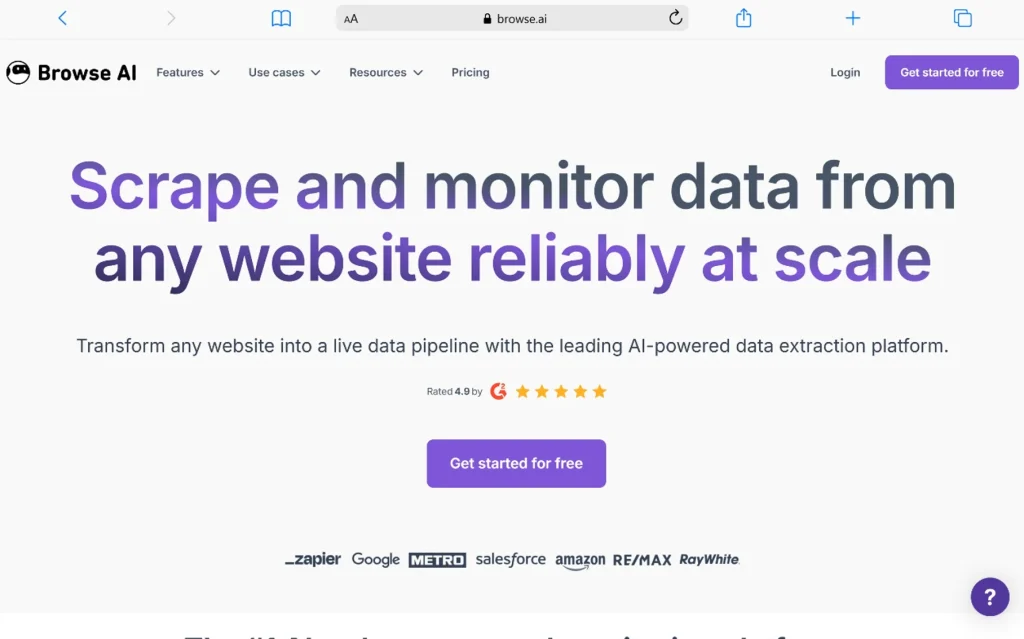
Browse AI is the tool we’d hand to a marketer, a competitive-intel analyst, or a founder who needs pricing data from three competitors by end of day. You train a “robot” by clicking through the target site once — Browse AI records the interaction, generalizes it into an extractor, and then runs it on a schedule or a trigger. Its G2 score sits at roughly 4.6–4.8 across 60+ verified reviews, and reviewers consistently single out the recorder’s forgiveness and the support team’s responsiveness.
Where Browse AI genuinely shines is in monitoring. You can set a robot to check a page every hour and fire a webhook the moment a price drops or a job listing appears. That workflow, more than raw scraping speed, is what its 500,000+ user base seems to be paying for.
- Features: Point-and-click “prebuilt robot” recorder, screenshot-based training, scheduled runs and change monitoring, 7,000+ integrations via Zapier/Make, Google Sheets and Airtable sync, deep-crawler for paginated sites, team workspaces
- Best for: Non-technical operators who need reliable structured data on a schedule from a defined set of sites
- Pricing: Free plan (50 credits/mo, 2 robots), Starter ~$19/mo, Professional $87/mo (5,000 credits), Team & Company tiers above.
- What we like: The onboarding is unusually humane — the platform assumes you’ve never written a selector in your life. Prebuilt templates for LinkedIn, Amazon, Booking.com and hundreds of others mean you often skip training entirely.
The trade-off, as several reviewers on Capterra noted, is that heavily dynamic or anti-bot-hardened sites can still trip the recorder, and the credit system feels expensive once you cross a few thousand pages a month.
3. Webscraper.io – Best Free Browser Extension with a Real Cloud Path
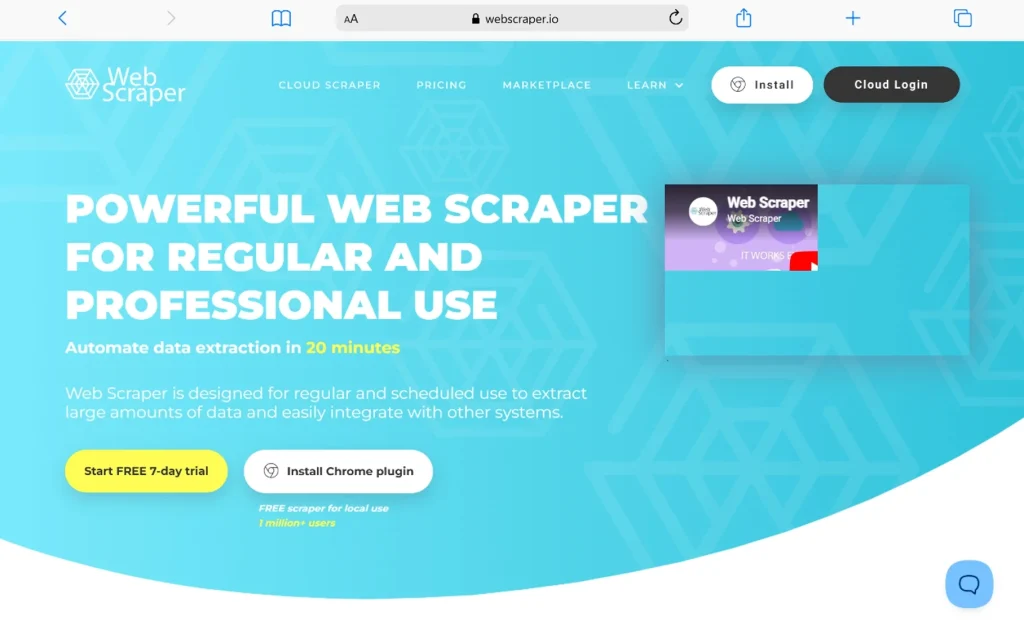
Webscraper.io has been quietly powering more freelance and small-team scraping projects than almost any other tool on this list, thanks to a Chrome extension that is genuinely free forever for local scraping. You build a “sitemap” by clicking through the page structure — selectors, pagination, click actions, link-following — and the extension walks the site and returns CSV or JSON. When you’re ready to automate, the same sitemap lifts into Web Scraper Cloud without rework.
We came into the test skeptical (the interface looks like it was frozen in 2018), and left with genuine respect. For well-structured sites — directories, e-commerce catalogs, listing sites — Webscraper.io’s sitemap model still holds up against much fancier AI tools, and at a fraction of the price. Trustpilot reviewers repeatedly single out the support team as unusually willing to fix broken sitemaps for users.
- Features: Free Chrome extension with visual selector builder, sitemap import/export (portable across users), multi-level navigation and pagination, element-click and scroll actions, cloud scheduling and API access on paid plans, CSV / JSON / XLSX / MS Access / Dropbox / S3 export, proxy support, webhook notifications
- Best for: Analysts, researchers, and small teams who need scheduled scraping of structured sites without paying enterprise prices
- Pricing: Browser extension free forever (local scraping), Project $50/mo, Professional $100/mo, Scale $200/mo, Scale+ tiers for higher volume.
- What we like: The free tier is the most usable in the category — you can run genuine multi-thousand-page scrapes locally at zero cost. And the sitemap format is portable, which means you’re not locked into anyone’s platform.
The honest limitations, flagged in Browse AI’s own comparison, are two: cloud credits expire monthly (unused ones don’t roll over), and heavily JavaScript-driven or anti-bot-hardened sites can defeat the extension where a stealth-browser tool like Firecrawl would push through. Also worth noting: this is not an AI-native tool. There’s no natural-language interface — you’re building sitemaps by clicking. For structured sites that’s a strength (predictable, cheap, reproducible); for messy long-tail sites it’s a limitation.
4. Apify – Best Marketplace of Ready-Made Scrapers

Apify’s pitch is that you shouldn’t have to build a LinkedIn scraper from scratch when 25,000+ community “Actors” already exist in their store — most maintained by developers who fix them the moment LinkedIn ships a redesign. Apify Review It’s the closest thing web scraping has to an npm registry, and the model is a genuine competitive moat.
The AI layer sits on top: Apify integrates cleanly with LangChain, LlamaIndex, and the OpenAI Assistants API, and their newer AI Agent SDK lets you compose autonomous scraping workflows. But the daily value is more mundane — you find an Actor that already does what you need, plug in a URL, and get structured JSON.
- Features: 25,000+ prebuilt Actors, custom Actor development in Node/Python, integrated proxy pool, storage/dataset layer, scheduling and monitoring, webhook triggers, Apify Console UI, SDK for building and selling your own Actors
- Best for: Teams that want a hybrid path — start with a marketplace Actor, then customize when you outgrow it
- Pricing: Free plan ($5 credit monthly), Starter $29/mo (+$29 usage credit), Scale $199/mo, Business $999/mo, Enterprise custom.
- What we like: The “someone else already built this” experience is genuinely delightful. When it works, you go from “I need data from Site X” to a CSV in under five minutes.
The recurring complaint on TrustRadius is opaque per-Actor pricing — some popular Actors add their own event-based fees on top of Apify’s compute units, which can produce surprise invoices. Plan and monitor accordingly.
5. Kadoa – Best Fully Autonomous, Self-Healing AI Scraper

Kadoa is the tool that most fully expresses the 2026 thesis: don’t teach the scraper the page — let the scraper teach itself. You describe the data you want in natural language, point it at a site, and Kadoa’s agents figure out the structure, extract it, and — critically — re-detect the structure on their own when the target site changes its layout. That self-healing property is what Kadoa’s own comparison round-up positions as its central differentiator.
We tested it against a job-board site that had recently reshuffled its DOM. Traditional scrapers we’d built against the old markup broke; Kadoa’s agent quietly adapted and kept delivering clean rows. For companies where broken pipelines create real business pain — think financial data feeds or supply-chain monitoring — this alone justifies the enterprise price.
- Features: Natural-language extraction (“give me all board decisions with dates and voting outcomes”), autonomous DOM re-detection, continuous monitoring of thousands of sources, structured JSON output with schema enforcement, PDF and unstructured-doc extraction, custom API delivery, human-in-the-loop review
- Best for: Enterprises running production data pipelines from hundreds of frequently-changing sources — regulatory monitoring, alt-data funds, media intelligence
- Pricing: Custom / enterprise (no public self-serve tier; expect four- to five-figure monthly commitments)
- What we like: Genuinely near-zero maintenance. In a category where every other tool eventually asks you to fix a broken selector, Kadoa’s willingness to swallow that pain is remarkable.
The limitation is exactly what you’d expect: it’s not the tool for a solo developer who wants to scrape 50 URLs for a weekend project. Kadoa is built for organizations that treat scraped data as a critical input, not an experiment.
6. ScrapeGraphAI – Best Open-Source Framework for Python Developers
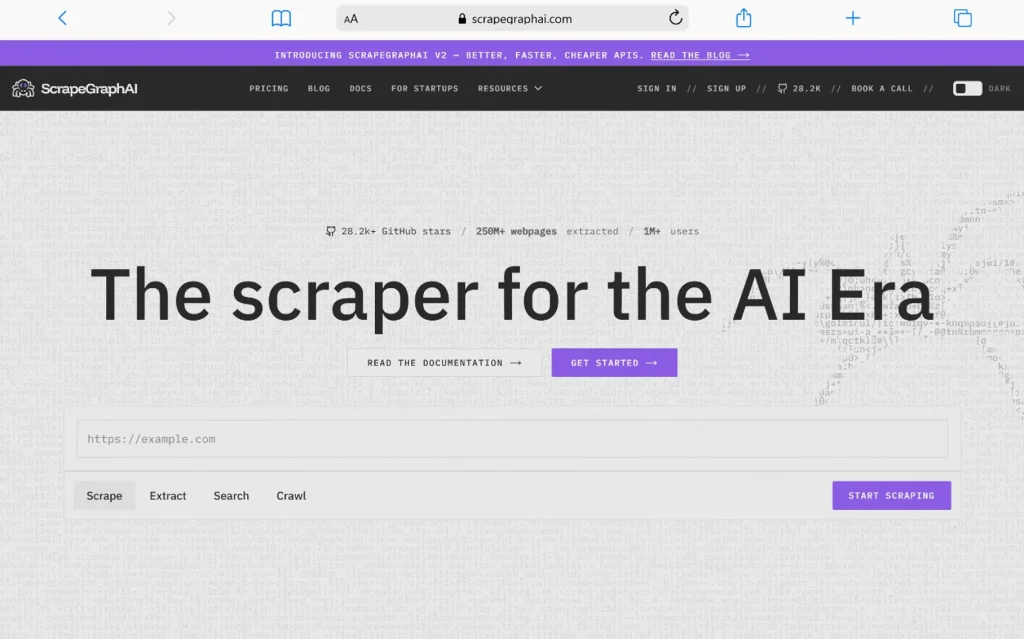
ScrapeGraphAI is where LLM-native scraping meets the Python ecosystem. It’s an open-source library that lets you build “scraping graphs” — chains of nodes where LLMs and browser automation cooperate to extract exactly what you want from a page.
The clever part is the graph abstraction: instead of writing an end-to-end scraper, you compose reusable nodes (fetch, parse-with-LLM, filter, deduplicate) and let the graph handle orchestration. It plays natively with OpenAI, Anthropic, Groq, Ollama, and local models, which means you can trade off cost and quality on a per-project basis.
They also offer a hosted API for teams that don’t want to run infrastructure.
- Features: LLM-driven extraction with any provider, graph-based pipeline composition,
SmartScraperGraphfor single-page jobs,SearchGraphfor search-driven extraction, local-model support via Ollama, hosted API with proxy rotation, JSON schema validation, Python-first SDK - Best for: Python developers building custom AI-powered data pipelines, especially where cost control and model choice matter
- Pricing: Open-source is free (you pay LLM costs). Hosted API: Free (500 credits/mo), Starter $20/mo, Growth $100/mo, Pro $500/mo.
- What we like: The unit economics can be extraordinary when paired with a cheap model like GPT-4o-mini or Gemini Flash — a Reddit thread benchmarking effective costs found the open-source + GPT-4o-mini combination coming in around $480/year for workloads that cost several thousand on managed platforms.
The trade-off is engineering time. You are the ops team. If your model call gets rate-limited or a site starts serving Cloudflare challenges, you’re the one debugging. It’s a builder’s tool, not a shortcut.
7. Thunderbit – Best Chrome Extension for Marketers and Sales Teams

Thunderbit occupies a very specific niche and owns it: you’re in the browser, you’re on a page, you want the data on that page in a spreadsheet, and you want it in the next 30 seconds. Two clicks — “AI Suggest Fields” and “Scrape” — and Thunderbit’s model reads the page, infers a schema, and dumps structured rows into a preview you can export to Google Sheets, Airtable, or Notion.
It’s genuinely delightful for the sales workflow — enrich a list of LinkedIn profiles, pull contact data off a directory site, scrape a competitor’s pricing page during a demo prep. The natural-language mode lets you type instructions like “get all products with a discount over 20%” and Thunderbit’s AI handles the filtering.
- Features: Chrome extension with 2-click extraction, natural-language field instructions, AI Autofill for form filling, subpage crawling (follow links and enrich), PDF and image extraction, scheduled runs, one-click export to Sheets/Airtable/Notion/CSV, prebuilt templates for LinkedIn, Amazon, Zillow and more
- Best for: Marketers, recruiters, SDRs, and researchers who scrape from inside their normal browsing flow
- Pricing: Free plan (6 credits/scrape, 10-page limit), Starter $9/mo, Pro $16.50/mo, higher tiers for teams.
- What we like: The learning curve is essentially zero. Non-technical users who bounced off Octoparse and Browse AI have consistently told us Thunderbit finally clicked.
The counterpoint, and it’s a fair one, comes from Trustpilot reviews flagging that long paginated jobs (100+ pages) sometimes stop midway. Thunderbit Trustpilot It’s a browser-based tool by design — for genuine large-scale extraction, pair it with one of the API-based platforms above.
8. Crawl4AI – Best Open-Source Option for Full Control

If Firecrawl is the polished managed API for AI workflows, Crawl4AI is its open-source counterpart — and it’s one of the fastest-rising projects in the space, with 50,000+ GitHub stars and a fiercely active contributor base. Crawl4AI GitHub It turns the web into clean, LLM-ready Markdown with an asyncio-native Python API, and it’s deliberately zero-cost, zero-vendor.
We reached for Crawl4AI on projects where three constraints held: (a) we couldn’t send data to a third-party API for compliance reasons, (b) we needed sub-second latency, and (c) volumes were high enough that any per-credit pricing would have been financially unbearable. It also has genuinely thoughtful features — LLM-driven extraction strategies, chunking heuristics tuned for RAG, and a Docker deployment that’s honestly production-ready.
- Features: Async Python API, Markdown/HTML/JSON output, built-in chunking for RAG, LLM-based and CSS-based extraction strategies, screenshot and PDF capture, session and cookie handling, browser stealth options, Docker deployment, MCP server integration for AI agents
- Best for: Engineers building on-prem or high-volume AI data pipelines who want no vendor lock-in and full control over infrastructure
- Pricing: Free (Apache 2.0 open-source); you pay for hosting and any LLM API calls
- What we like: The output is genuinely comparable to Firecrawl’s — clean Markdown, sensible chunking, minimal boilerplate — but with zero per-page fee. For teams that already have infrastructure, the total cost of ownership is dramatically lower.
The honest trade-off: you’re operating this yourself. Rotating proxies, handling anti-bot challenges on hardened sites, keeping the browser stack patched — all on you. For a well-staffed engineering team, that’s a fair deal. For a two-person startup that just needs data yesterday, one of the managed tools above will get you there faster.
How We’d Actually Choose Between Them
After all this testing, we keep coming back to a simple decision tree. If you’re a developer building an AI agent or RAG pipeline and you want it working today, start with Firecrawl — the developer experience is the best in the category, and you can migrate later if costs balloon. If you’re a business user who needs monitoring and scheduled data from a defined set of sites, Browse AI is genuinely hard to beat on UX. If your target sites are well-structured and your budget matters more than AI polish, Webscraper.io will get you 80% of the way at a fraction of the cost. For zero-maintenance enterprise pipelines, Kadoa is the shortlist of one.
For teams that live in Python and want cost control, ScrapeGraphAI (or its self-hosted cousin Crawl4AI) will pay for itself within a quarter versus any managed alternative. Apify is the pragmatist’s choice when a prebuilt Actor already exists for your target site. And Thunderbit deserves the last slot on this list because it solves a real problem — one-shot data extraction from inside the browser — better than any of the “serious” tools above.
The category’s biggest shift, and one we don’t think has been priced into most teams’ thinking yet, is that scraping is becoming an agent capability rather than a standalone workflow. Firecrawl’s /monitor endpoint, Kadoa’s self-healing extractors, Apify’s AI Agent SDK, and Webscraper.io’s cloud API all point at the same future: your AI agent decides it needs data, calls a scraper as a tool, and gets structured JSON back. In that world, the tools that win won’t be the ones with the flashiest natural-language demos — they’ll be the ones that stay quietly reliable when the site changes, the volume triples, and the agent asks for data at 3 a.m.
Frequently Asked Questions
What is an AI web scraper, and how is it different from a traditional scraper?
A traditional scraper requires you to write or click-select CSS/XPath rules that pin the exact location of each data field in the page’s HTML. An AI web scraper uses a large language model (or a vision model) to read the rendered page and infer the schema itself — you describe what you want in natural language (“product name, price, rating, review count”) and the model figures out where those live. The practical upshot is that AI scrapers survive layout changes far better and require dramatically less setup time, at the cost of higher per-page compute and occasional hallucinated fields on messy sites.
Is web scraping legal in 2026?
Scraping publicly available data remains legal in most jurisdictions, and precedents like hiQ Labs v. LinkedIn in the US continue to support that position. However, three things routinely get teams in trouble: scraping data behind a login (which can trigger CFAA-style claims), scraping personal data in ways that violate GDPR or CCPA, and violating a site’s Terms of Service in a way that gives them a contract claim. If you’re operating at scale or in a regulated industry, use a tool with a clear compliance framework (Kadoa, Apify, and enterprise-tier Webscraper.io accounts all publish theirs) and consult counsel before scraping personal data.
Which AI web scraper is best for beginners with no coding experience?
Browse AI and Thunderbit are the two we consistently recommend for non-developers. Browse AI wins when you need scheduled monitoring of a defined set of sites (competitor prices, job listings, review pages). Thunderbit wins for one-shot, in-the-moment scraping while you’re already browsing. Webscraper.io is a strong free alternative if you’re comfortable clicking through a slightly older-looking interface and don’t need AI-driven schema detection.
Which AI web scraper is best for developers building AI agents or RAG pipelines?
Firecrawl is the default answer in 2026 — its output is optimized for LLM consumption out of the box, and the API surface is small enough to integrate in an afternoon. If you need full control, don’t want to send data to a third-party API, or are scraping at a volume where per-credit pricing hurts, Crawl4AI (open-source) is the strongest self-hosted alternative. ScrapeGraphAI sits between the two: an open-source Python framework with an optional managed API.
How much should I expect to pay for AI web scraping in 2026?
For solo developers and small projects, you can genuinely operate on free tiers — Firecrawl’s 1,000 credits/month, Webscraper.io’s free browser extension, or Crawl4AI self-hosted will cover meaningful workloads. A production pipeline scraping 100K–1M pages/month typically lands in the $100–$500/month range on managed platforms (Firecrawl Standard/Growth, Apify Scale, Webscraper.io Professional). Enterprise deployments with self-healing agents, compliance guarantees, or heavy anti-bot bypass — Kadoa, Bright Data-tier Apify plans — start at roughly $2,000/month and scale from there.
Can AI web scrapers bypass anti-bot protection like Cloudflare and CAPTCHAs?
Some can, some can’t — and the difference matters a lot. Firecrawl, Apify’s premium proxies, and Kadoa all handle most Cloudflare and DataDome challenges out of the box. Webscraper.io’s browser extension and Thunderbit run in your local Chrome, so they inherit whatever your browser can pass — enough for many sites but not for aggressively hardened ones. If you’re targeting sites known for hard anti-bot (LinkedIn, Ticketmaster, Cloudflare-behind-Turnstile pages), pick a tool with an integrated stealth-browser stack or plan to layer in a dedicated unblocker.
What’s the difference between web scraping and using an official API?
An official API is almost always cheaper, more reliable, and legally cleaner — if one exists and provides the data you need. Scraping is the fallback when there’s no API, the API is rate-limited to uselessness, the API costs more than scraping, or you need data the API doesn’t expose. A pragmatic 2026 stack often uses both: official APIs for the primary data and scraping for the long-tail enrichment fields.
Can I run these scrapers on a schedule without babysitting them?
Yes — all eight tools support scheduling, but they differ in what happens when a site changes. Kadoa self-heals autonomously. Firecrawl, Apify, and Browse AI will notify you (via webhook or email) when a scheduled run fails, and you fix the config. Webscraper.io and ScrapeGraphAI will keep running but may return empty rows if selectors break. Thunderbit and Crawl4AI’s schedules are the most manual. If broken pipelines cost you real money, pay for the self-healing tier — the arithmetic almost always works out.
Do I need to worry about my IP getting banned?
For small local scraping (a few hundred pages a day), no. For anything larger, yes — and this is where managed tools earn their keep. Firecrawl, Apify, Kadoa, and Webscraper.io Cloud all rotate IPs behind the scenes. If you’re using an open-source tool like Crawl4AI or ScrapeGraphAI at volume, budget for a residential proxy provider (typical costs run $5–$15/GB) or expect to get rate-limited and blocked.
Which tool has the best free tier in 2026?
For managed cloud scraping, Firecrawl (1,000 pages/month, no card required) is the most generous relative to output quality. For pure local scraping without any monthly cap, Webscraper.io‘s free browser extension is unmatched — you can run genuinely large jobs at zero cost, you just can’t schedule them in the cloud. For open-source with zero vendor lock-in, Crawl4AI wins outright.
You May Also Like
 Web Scraping
What Is Web Scraping and How Does It Work? A Complete 2026 Guide
 Web Scraping
How to Handle CAPTCHA While Scraping: A 2026 Developer’s Guide
 Proxies
Best Proxies for Web Scraping In 2026: How I Choose the Right Provider and Proxy Type
 Web Scraping
Cloudflare Blocking Scrapers Explained: Your 2026 Guide to Anti-Bot Protection
 Web Scraping
How Google Maps Scraping Actually Works (And Where Most Attempts Go Wrong)
 Web Scraping
Scrap.io Review 2026: What This Google Maps Lead Generation Tool Actually Gets Right (and Where It Falls Short)
 Web Scraping
The 7 Best PHP Web Scraping Libraries of 2026: The Ultimate Guide
 Web Scraping
User-Agent Rotation: What Actually Works (and What Google Detects in Milliseconds)
 Web Scraping