
The first time a CAPTCHA stopped one of my scrapers cold, I had already convinced myself the job was done. The script had been pulling product listings for six straight hours without a hiccup, and then, without warning, every request started coming back empty. When I opened the target page in a browser to see what had gone wrong, I was staring at a grid of blurry crosswalks and a checkbox asking me to prove I wasn’t a robot. My scraper hadn’t crashed. It had been caught.
That project turned into a long stretch of trial and error, and eventually into the framework I still use today. Handling CAPTCHA while scraping isn’t a single trick bolted onto a script — it’s a layered discipline that starts long before any challenge appears on screen and only escalates to active solving when every other option has been exhausted. Anti-bot systems in 2026 don’t judge a single request; they judge the entire pattern of behavior across a session, sometimes across days, and increasingly they judge the network-level fingerprint of the client itself before a single line of JavaScript even runs.
This guide walks through that layered approach the way I actually apply it: preventing detection first, hardening the browsing client second (including the transport layer, not just the browser surface), rotating through proxy infrastructure third, and calling in a solving service only when nothing else clears the path.
Key Takeaways
- Prevention beats reaction. The best CAPTCHA is the one a scraper never sees, which means the traffic itself has to look human from the TLS handshake onward, not just at the HTTP header level.
- Residential and mobile IPs carry real weight. For anything running at scale, a rotating pool of residential proxies built for scraping workloads does more to keep requests clean than any header trick, though even residential ranges get flagged more often than they used to.
- Browser automation needs hardening at more than one layer. Patching JS-level markers like
navigator.webdriveris table stakes now — TLS and HTTP/2 fingerprints matter just as much. - Fingerprints matter as much as IPs. Sites profile canvas and WebGL signatures, timing entropy, and network-level handshake signatures together, so masking automation markers is only part of the job.
- Respect the target. Reading and honoring a site’s crawl rules isn’t just good practice — it’s part of what keeps infrastructure from tripping defenses in the first place.
- Solving services are the last resort, not the first move. Even with AI vision models now clearing image challenges in seconds, leaning on a solving service as a first response is still slower and pricier than simply not triggering the challenge.
- Session continuity signals legitimacy. Cookies, sticky IPs, and consistent headers across a visit tell a server it’s watching one continuous human, not a rotating swarm.
- The underlying systems are behavioral and network-based, not visual. reCAPTCHA, hCaptcha, and Cloudflare Turnstile are scoring engines first and puzzle generators a distant second.
What CAPTCHA Actually Measures
A CAPTCHA — Completely Automated Public Turing test to tell Computers and Humans Apart — exists to separate genuine visitors from automated traffic before that traffic can spam, register fake accounts, or pull data at a scale no human ever could. The image grids and checkboxes are just the visible layer.
Underneath, modern challenge systems run a constant risk assessment. reCAPTCHA v3, hCaptcha, and Cloudflare Turnstile evaluate a mix of signals well before deciding whether to show anything at all:
- Movement and interaction data — how the cursor drifts, how scroll events fire, whether input timing looks mechanical.
- Device and browser fingerprinting — canvas rendering, installed fonts, WebGL output, and dozens of smaller browser properties that together form an identity even without cookies.
- Transport-level fingerprinting — the TLS handshake (JA3/JA4) and HTTP/2 frame ordering, which reveal the actual client library behind a request regardless of what the User-Agent header claims. This is why a Python HTTP client can send a perfect Chrome User-Agent string and still get blocked in milliseconds — the handshake gives it away before the header is even read.
- Network reputation — whether the request originates from a known datacenter range, a residential ISP block that’s been abused before, or an ordinary consumer connection.
- Request cadence — the rhythm and timing of page loads across a session.
Each of these feeds a composite score. Drop below the threshold and a challenge appears; drop far enough and there may be no challenge at all, just a quiet block. Understanding that CAPTCHA is the visible symptom of a much larger, partly network-level scoring system is what separates scrapers that survive from ones that get flagged in the first hour. 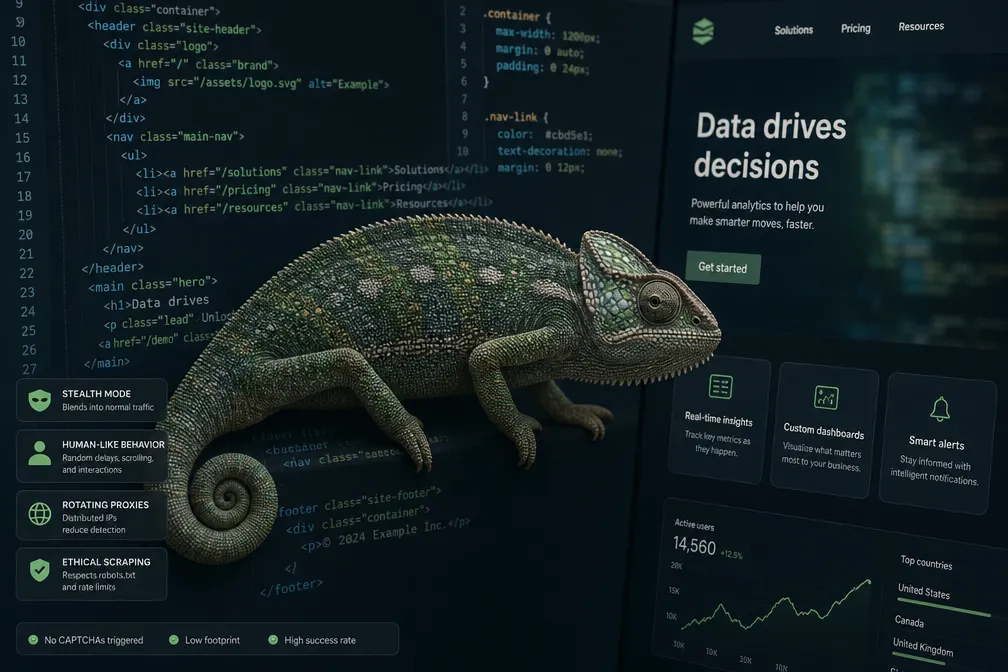
Layer One: Making Sure the Challenge Never Appears
Every technique in this section exists for one reason: to keep a scraper’s traffic close enough to ordinary human browsing that anti-bot systems never feel the need to escalate.
Rotate the User-Agent string with genuinely current values, and keep it current
The User-Agent header tells a server which browser and OS made the request. Sending the same string across thousands of requests is one of the fastest ways to get grouped and blocked, and sending a default library string (Python’s requests, for instance) is close to announcing the automation outright. Just as important, and easy to overlook: browser version numbers move fast, and a User-Agent claiming a build that’s a year out of date is its own tell. Chrome alone ships a new stable version roughly every four weeks.
USER_AGENTS = [
    "Mozilla/5.0 (Windows NT 10.0; Win64; x64) AppleWebKit/537.36 (KHTML, like Gecko) Chrome/150.0.0.0 Safari/537.36",
    "Mozilla/5.0 (Macintosh; Intel Mac OS X 10_15_7) AppleWebKit/537.36 (KHTML, like Gecko) Chrome/150.0.0.0 Safari/537.36",
    "Mozilla/5.0 (Windows NT 10.0; Win64; x64; rv:141.0) Gecko/20100101 Firefox/141.0",
]

import random
headers = {'User-Agent': random.choice(USER_AGENTS)}
A hardcoded array like this is fine for a quick test, but it will be stale again within a month. Production scrapers are better served by pulling from a live, regularly refreshed source rather than maintaining a static list by hand — the mechanics of doing that properly, including how large a pool actually needs to be, are covered in a deeper breakdown of how to keep a user-agent pool current for scraping.
Send a header set that matches the browser being spoofed — and a TLS handshake that matches it too
The User-Agent is only one field among many. Real browsers attach Accept-Language, Accept-Encoding, Sec-Fetch-*, and referer values that all have to line up logically — a request claiming to be macOS Safari but carrying Windows-flavored headers is an inconsistency that trips detection just as fast as a missing header would.
What the original checklist misses is that headers sit on top of a TLS handshake, and most anti-bot vendors fingerprint that handshake (via JA3/JA4 signatures) independently of anything in the HTTP layer. A plain Python requests or Node fetch call has a distinctly different handshake signature than an actual Chrome or Firefox instance, and that mismatch alone is enough to get flagged by Cloudflare or DataDome before a single header is inspected. This is one reason browser-automation tools that drive a real browser engine (covered next) tend to hold up better against serious bot management than raw HTTP clients dressed up with the right headers, and it’s also why lower-level libraries built specifically to replicate a real client’s TLS fingerprint exist as a middle option between the two.
Throttle requests the way a person actually browses
No human loads a hundred product pages in ten seconds. Firing requests as fast as a connection allows is one of the most reliable ways to draw an IP ban or a Cloudflare challenge. Building in randomized delays — a few seconds of variation between page loads, with occasional longer pauses that mimic someone reading a page rather than scripting through it — is one of the simplest, highest-leverage habits in this entire guide. The mechanics of getting the pacing right, including how to scale it across concurrent workers without creating an obviously synchronized pattern, are covered in more depth in a piece on pacing scraper requests to avoid rate-limit triggers.
Keep cookies and sessions consistent
A scraper that discards cookies and starts fresh on every request looks like a different visitor each time, which is its own red flag. Persisting a session object across requests — and, when using rotating proxies, pinning a single IP to a given session — keeps the identity a target site sees consistent from first request to last, exactly the way a real visitor’s session behaves. 
Layer Two: Hardening Browser Automation
Simple HTTP requests eventually hit a ceiling — plenty of modern sites render content through JavaScript and expect a real browsing engine behind every visit, and, as noted above, their TLS handshake alone can give away a bare HTTP client regardless of headers. That’s where tools like Selenium, Playwright, and Puppeteer come in, since they drive an actual browser capable of executing scripts and rendering pages the way a person’s machine would.
The catch is that a stock headless browser still carries its own tells. Sites can check for navigator.webdriver and a handful of other properties that only exist in automated contexts, though by 2026 this specific check is closer to a baseline filter than a serious barrier — most bot-management vendors have moved on to canvas and WebGL entropy consistency, font-rendering fingerprints, timing patterns in event handling, and the TLS/HTTP2 signature discussed earlier. Clearing the easy check and still tripping the deeper ones is a common failure mode, which is why plain general Selenium hygiene for scraping alone increasingly falls short against sites protected by serious bot management.
Frameworks built to close that gap
SeleniumBase’s undetected mode is a solid starting point because it patches the underlying driver rather than layering tricks on top of it. Running with uc=True, it forces navigator.webdriver to read as false, strips out several automation-only JavaScript variables that give headless sessions away, and handles a meaningful share of lighter bot-management checks without extra configuration.
from seleniumbase import Driver

driver = Driver(uc=True)  # uc=True enables the undetected mode
try:
    driver.get("https://nowsecure.nl/#relax")  # a bot-detection test page
    import time
    time.sleep(10)
finally:
    driver.quit()
Worth being honest about: this is an arms race, not a solved problem. Patches that work against one Cloudflare or DataDome ruleset can stop working after the vendor updates its detection, which is why teams running this at scale keep an eye on newer undetected-driver forks and alternatives (patchright and camoufox are two that have gained traction alongside SeleniumBase) rather than assuming any single tool stays effective indefinitely. If you’re weighing which automation stack to build on in the first place, a side-by-side look at Playwright vs Selenium vs Puppeteer is worth reading before committing to one, since each has different levels of community support for stealth patches.
Layer Three: Proxies and IP Reputation
Even a perfectly hardened browser will get flagged if it sends thousands of requests from one IP address. This is where proxy infrastructure stops being optional for any project operating past a hobbyist scale.
A proxy forwards traffic through its own IP, letting requests appear to originate from many different locations and networks rather than one obvious source.
Datacenter, residential, and mobile — the real tradeoffs
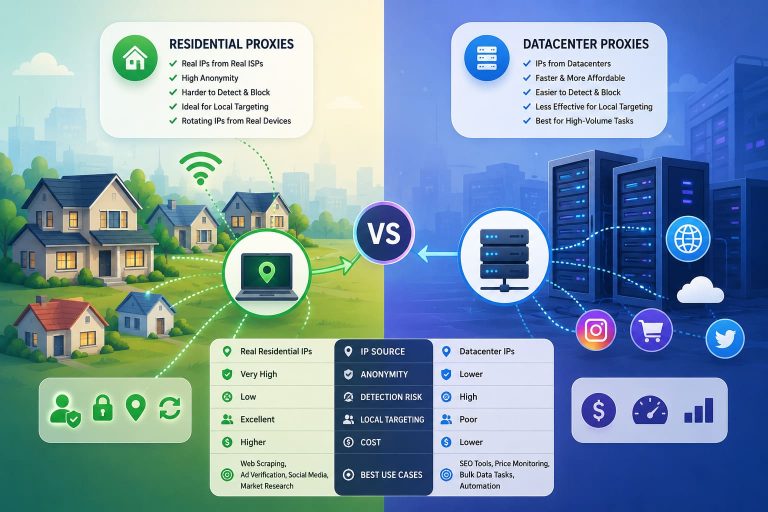
| Feature | Datacenter Proxies | Residential Proxies | Mobile Proxies |
|---|---|---|---|
| Source | Servers hosted in data centers | Real ISP-assigned devices, used with consent | Real carrier-assigned mobile connections |
| Cost | Lowest | Higher | Highest |
| Detection risk | Easiest to flag — ranges are well documented | Harder to flag, but abused ranges increasingly get caught too | Hardest to distinguish from genuine users, since carrier NAT pools thousands of real users behind shared IPs |
| Best suited for | Lightly protected sites | Sites running standard Cloudflare, Akamai, or similar WAF layers | Sites running aggressive bot management like DataDome or PerimeterX/HUMAN where residential ranges alone are getting flagged |
For any target running serious bot management, how residential proxy pools are sourced and rotated is worth understanding before assuming a bigger pool automatically solves detection problems — reputation within that pool matters as much as the IP type itself. A deeper comparison of the categories, including where each one falls short as detection has gotten more sophisticated, is covered in this breakdown of residential vs. datacenter proxies.
How to actually rotate IPs
- Rotate per request for simple, high-volume page collection where each hit is independent.
- Pin a sticky session for anything multi-step — logins, carts, paginated flows — where the server expects the same identity throughout.
- Match geography to the target — a
.desite should be hit from German IPs, not wherever a proxy pool happens to default to, since geo-mismatched traffic is an easy signal to flag on.
Cloudflare deserves its own mention here, since so much of the modern web sits behind it. If a target keeps throwing challenges no matter how clean the traffic looks, it’s worth reading through the specific patterns covered in why Cloudflare blocks scrapers even with clean-looking traffic before assuming the proxy pool is the problem — often it’s the TLS or JS-fingerprint layer discussed earlier, not the IP.
Layer Four: When You Can’t Avoid the Challenge
Sometimes prevention isn’t enough and a CAPTCHA shows up anyway. At that point the options are to stop, or to solve it programmatically through a dedicated service.
These services expose an API: the scraper detects the challenge, submits the relevant data (site key, page URL, challenge type), the service resolves it, and returns a token or answer the scraper submits back to the page. It’s worth noting how this resolution actually happens has shifted: image-grid and text-based challenges are increasingly cleared by AI vision models directly, often in a couple of seconds, while invisible scoring systems like reCAPTCHA v3 and Turnstile are handled less by “solving a puzzle” and more by generating a valid-looking token through an emulated browser session — closer to what Layer Two is doing than to classic CAPTCHA-cracking.
A few well-known names in the space, each with different strengths:
- CapSolver — fast, and particularly strong against reCAPTCHA v3 and Turnstile token generation.
- 2Captcha — one of the oldest providers, broad coverage across CAPTCHA types.
- Anti-Captcha — competitive pricing with solid reliability across common challenge types.
Treat these as the safety net for whatever slips through everything above, not as the foundation of a scraping pipeline. Beyond cost and speed, there’s also a durability argument: a pipeline that depends on constantly buying solves for CAPTCHAs it keeps triggering is a pipeline that’s fighting the target site instead of blending into its normal traffic, and that’s a harder position to sustain as detection improves.
Scraping Ethically, Not Just Effectively
None of the above matters much if the underlying operation is careless about the sites it touches. Aggressive, poorly-paced scraping degrades performance for real visitors and invites exactly the kind of scrutiny this guide is trying to avoid.
- Read the site’s crawl rules. The file at
/robots.txtspells out which paths a site permits automated access to. It isn’t legally binding on its own, but ignoring it is one of the fastest ways to draw attention — a fuller explanation of how to interpret these files sits in this guide to reading and respecting a site’s robots.txt rules. - Run heavier jobs during off-peak hours for the target site, not just for your own convenience.
- Cap concurrency deliberately rather than letting a cluster hammer a server simply because the infrastructure can technically handle it.
- Consider identifying the bot. A contact link in the User-Agent string gives site owners a way to reach you before they reach for a block list.
Where This Leaves You
Handling CAPTCHA while scraping was never really about defeating a puzzle — it’s about building a pipeline that a target site has no particular reason to distrust. That starts with header discipline, pacing, session hygiene, and a transport layer that doesn’t give away the automation before the first header is even read. It moves through hardened browser automation when JavaScript-heavy sites demand it, leans on residential or mobile proxy infrastructure when IP reputation becomes the bottleneck, and only calls on a solving service for whatever slips past all three.
Anti-bot systems keep evolving, and the specific fingerprinting techniques that work today will shift again within a year or two — TLS fingerprinting barely came up in scraping discussions a few years back, and now it’s central. The projects that hold up over time are the ones built with that in mind from the start: flexible, well-paced, and respectful of the infrastructure they’re pulling from.
Frequently Asked Questions
What is the best way to handle reCAPTCHA v3?
reCAPTCHA v3 runs invisibly and scores behavior rather than presenting a puzzle outright, so prevention is the only real lever — residential or mobile IPs, a hardened browser context with a matching TLS fingerprint, and interaction patterns that don’t look mechanical. If a low score still triggers a block, a solving service that supports v3 token generation is the fallback, though it’s addressing a symptom rather than the underlying score.
Can Selenium alone bypass CAPTCHA?
Not reliably. Stock Selenium carries automation markers that modern anti-bot systems check for directly, which is why hardening layers like SeleniumBase’s undetected mode exist — they patch those markers rather than asking Selenium to hide them on its own. Even then, deeper checks like TLS fingerprinting and behavioral scoring sit outside what any Selenium wrapper controls.
Are datacenter proxies good enough for scraping?
For lightly protected sites, yes. Once a target sits behind Cloudflare, Akamai, DataDome, or a comparable system, datacenter IP ranges are frequently blocked by default, and residential or mobile IPs become the more dependable option.
Is it legal to bypass CAPTCHA?
This depends heavily on jurisdiction, the site’s terms of service, and what the scraped data is used for. In the US, the legal picture has actually moved in scrapers’ favor over the past several years: the Ninth Circuit’s ruling in *hiQ Labs v. LinkedIn* held that scraping publicly accessible data generally doesn’t violate the Computer Fraud and Abuse Act, and the Supreme Court’s *Van Buren v. United States* decision narrowed what counts as “exceeding authorized access” under that same law. Neither ruling makes scraping unconditionally legal, though — bypassing technical barriers can still expose a project to breach-of-contract claims under a site’s terms of service, and the analysis changes for non-public or authenticated data. It’s worth reviewing the legal risk factors that come up most often in scraping projects and, for large or commercial projects, getting actual legal counsel rather than relying on general guidance.
How do CAPTCHA solving services work?
Image and text-based challenges are increasingly resolved by AI vision models directly, often in a couple of seconds; some providers still route a portion of harder cases through human labor as a backstop. For invisible scoring systems like reCAPTCHA v3 or Turnstile, the service typically runs the challenge through an emulated real-browser session to generate a valid token rather than “solving” anything visual. Either way, the scraper forwards the challenge details through the provider’s API and submits the returned token or answer back to the page.
What is the difference between hCaptcha and reCAPTCHA?
Both aim to separate humans from bots, but reCAPTCHA is a Google product that draws on broader user data for its risk scoring, while hCaptcha leans more on labeling-style tasks and markets itself around privacy. Both remain genuinely difficult for scrapers to clear reliably at scale.
How can I make my Playwright or Puppeteer scraper less detectable?
Stealth plugins such as puppeteer-extra-plugin-stealth, or Playwright-focused alternatives like Patchright, apply many of the same patches SeleniumBase does — spoofing browser properties, randomizing fingerprint values, and suppressing webdriver flags. These are worth pairing with a matching TLS fingerprint and careful proxy and pacing choices rather than relying on any single patch alone, since sophisticated detection checks all of these layers together.
What is Cloudflare Turnstile?
It’s Cloudflare’s non-intrusive alternative to a traditional CAPTCHA grid, running background browser and network checks to confirm a visitor is human without requiring a click or puzzle. Clearing it consistently requires a browser context and network fingerprint that hold up under fairly deep scrutiny, not just a passable User-Agent string.
You May Also Like
 Proxies
10 Best Proxy Providers for AI Agents in 2026: The Definitive Buyer’s Guide
 Web Scraping
What Is Web Scraping and How Does It Work? A Complete 2026 Guide
 Proxies
Best Proxies for Web Scraping In 2026: How I Choose the Right Provider and Proxy Type
 Proxies
Residential vs Datacenter Proxies: Use Cases and Best Providers (2026)
 Web Scraping
Cloudflare Blocking Scrapers Explained: Your 2026 Guide to Anti-Bot Protection
 Web Scraping
How Google Maps Scraping Actually Works (And Where Most Attempts Go Wrong)
 Web Scraping
Scrap.io Review 2026: What This Google Maps Lead Generation Tool Actually Gets Right (and Where It Falls Short)
 Web Scraping
The 7 Best PHP Web Scraping Libraries of 2026: The Ultimate Guide
 Use Cases