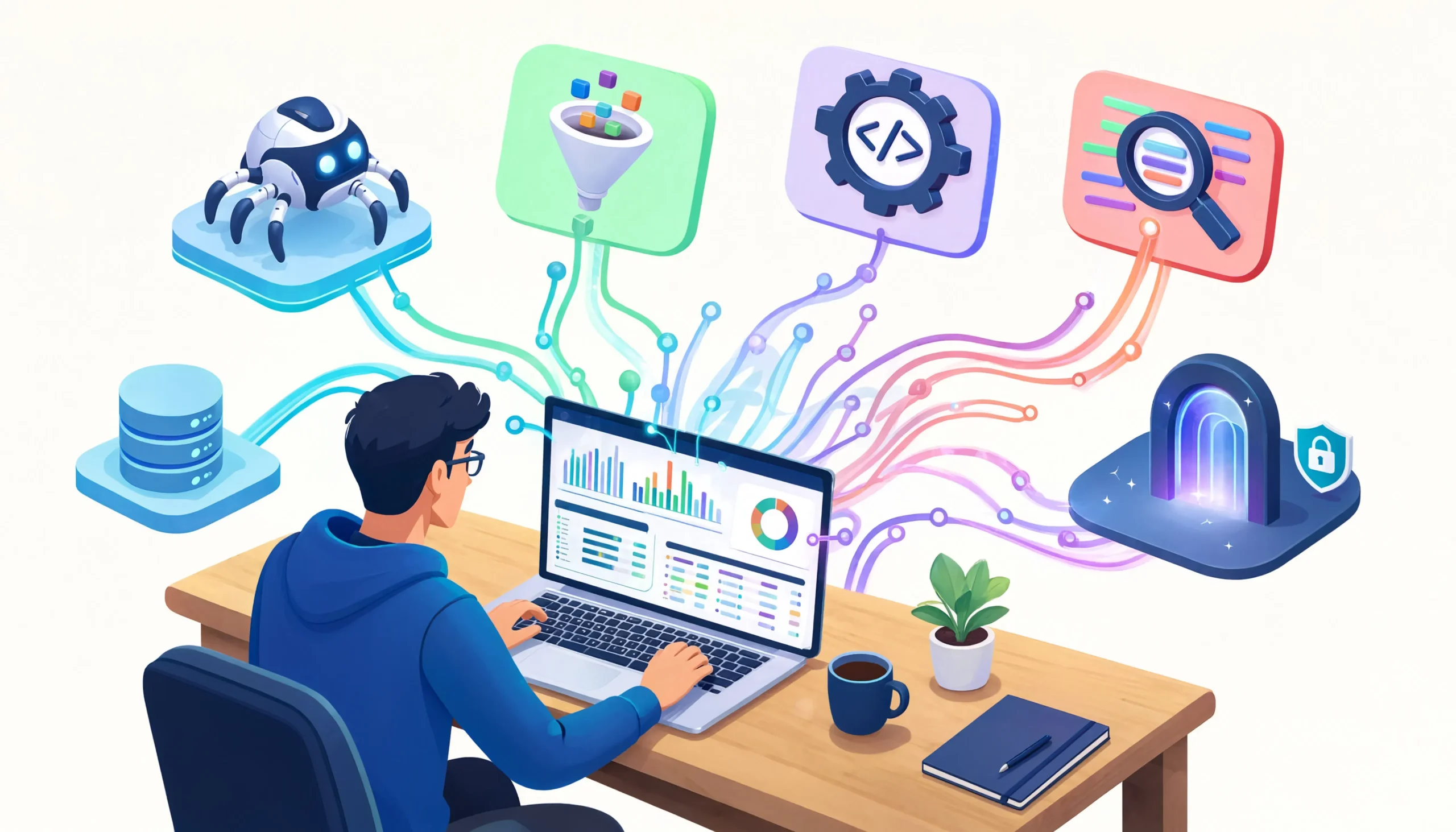
The first scraper I ever built was a mess. It was a Python script that hit an e-commerce site once a minute, broke every other day, and got my IP banned within the first week. I had read maybe two tutorials and assumed scraping was a solved problem. Three years and dozens of projects later, I have a very different view.
Web scraping is not really one skill. It is a stack of skills layered on top of each other — HTTP, HTML parsing, JavaScript rendering, proxy management, fingerprint evasion, data validation, storage, and scheduling. The tools you choose at each layer determine whether your scraper runs reliably for months or breaks the first time the target site updates its design.
Over the past three years, I have used most of the tools that get recommended online. Some of them are excellent. Some are overhyped. A few are quietly fantastic but never get the attention they deserve. What follows is what I actually reach for now, why I reach for it, and where each tool falls short. No affiliate deals, no sponsored placements, just what has held up in real production work.
Key Takeaways
- The best scraping tool depends entirely on the target. Simple sites need simple tools. Protected sites need much more.
- No single tool covers everything. A working scraping stack usually combines a parser, a browser automation framework, a proxy provider, and sometimes a fingerprint-evading HTTP client.
- Open-source tools like Scrapy, Playwright, and BeautifulSoup remain the backbone of most serious scraping work, but they require real engineering effort.
- Managed scraping APIs like Bright Data, Apify, and ScraperAPI save enormous time on protected targets, but they cost real money at scale.
- The tools change less than people think. The fundamentals from three years ago still apply. What has changed is bot detection getting harder, which pushes more work toward managed services or stealth browsers.
How I Evaluate Scraping Tools
Before getting into specific tools, I want to share the framework I use when deciding what to reach for. It is not academic. It is what I have learned from picking wrong and paying for it later.
The first question I ask is what kind of site I am scraping. A static HTML site with no protection needs nothing more than a basic HTTP client and a parser. A Cloudflare-protected site needs a browser-level tool or a managed service. A JavaScript-heavy single-page application needs something that can render JS. The mismatch between tool and target is the single most common reason scrapers fail.
The second question is how often I need the data. A one-time scrape is different from a scheduled job that runs every hour. Tools that are fine for a quick extraction can be wrong for production scheduling.
The third question is what my time is worth. I used to build everything from scratch because I enjoyed the puzzle. Now I value tools that save me hours, even if they cost money, because debugging anti-bot defenses for three days is not a good use of my time when a managed service can solve it in twenty minutes.
With that framework in mind, here is what I actually use.
The Tools I Use Most For My Web Scraping Projects
1. Scrapy
Scrapy is the tool I keep coming back to for serious projects. It is a Python framework specifically designed for large-scale scraping, and once you understand its model, it is hard to beat for structured, repeatable work.
What makes Scrapy worth learning is its built-in handling of the boring parts. Concurrent requests, retry logic, depth control, pipeline processing, data export, and middleware for proxies and headers are all baked in. You do not have to invent these from scratch every time.
I have used Scrapy for projects ranging from monitoring a few thousand product pages to crawling sites with millions of URLs. At the small end, it is overkill. At the large end, nothing else open-source comes close.
- Large-scale crawling with thousands or millions of URLs
- Structured data extraction with consistent page layouts
- Projects where you need reliable retry and concurrency control
- Long-running production scrapers that run on a schedule
Where Scrapy struggles:
- JavaScript-heavy sites (you need to add Playwright integration)
- Sites with aggressive bot protection (Scrapy by itself does not handle TLS fingerprinting)
- Quick one-off scraping jobs where the framework overhead is not worth it
- Beginners who just need to grab some data once
The learning curve is real. The first Scrapy project I built took me longer than writing the same scraper in plain Python with requests. By the third project, the framework was saving me days of work. That payoff matters.
2. Playwright
If Scrapy is my workhorse for HTTP-based scraping, Playwright is what I use whenever the page needs a real browser. It has effectively replaced Selenium in my workflow over the past two years.
Playwright runs Chromium, Firefox, and WebKit, exposes a clean API across Python, Node.js, and other languages, and handles modern web pages better than anything else I have tried. It waits for elements intelligently, handles dynamic content reliably, and integrates well with async code.
For sites that build their content with JavaScript, that change layout based on user interaction, or that hide data behind clicks and scrolls, Playwright is the answer. I have used it for everything from extracting prices on infinite-scroll e-commerce pages to automating multi-step search flows on real estate portals.
Where Playwright works well:
- JavaScript-rendered single-page applications
- Sites that require interaction (clicks, scrolls, form submissions) to reveal data
- Bypassing basic to moderate bot protection when paired with stealth modifications
- Complex multi-step workflows that mimic real user behavior
Where Playwright struggles:
- High-volume scraping where browser overhead becomes the bottleneck (each browser instance uses real memory)
- Pure server environments without display drivers (though headless mode works in most cases)
- Sites with advanced fingerprinting like Cloudflare’s Turnstile or DataDome, where stock Playwright fingerprints get flagged
The stealth question is important. Out of the box, Playwright leaves detectable traces — automation flags, specific JavaScript properties, and TLS signatures that bot detection systems recognize. For protected sites, you need stealth plugins or a patched build of the browser. The playwright-stealth and playwright-extra packages handle most of this for you, but they are not magic and they require ongoing maintenance as detection methods evolve.
3. BeautifulSoup
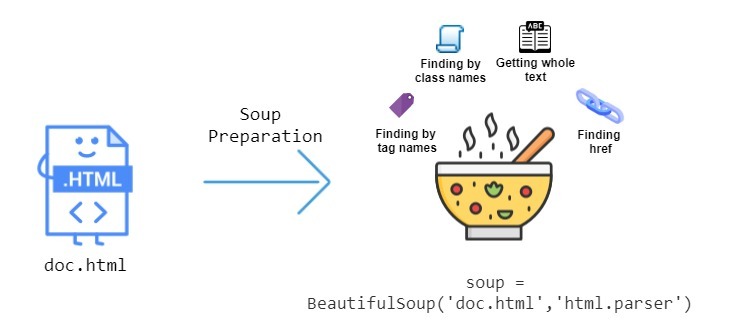
BeautifulSoup is not a scraper. It is a parser, and it does that one job better than anything else in the Python ecosystem.
I pair BeautifulSoup with requests or httpx for any small to medium scraping job that does not need JavaScript. The combination is light, predictable, and easy to debug. When something goes wrong, I can usually print the HTML, inspect what BeautifulSoup is seeing, and fix the issue in a few minutes.
For beginners learning to scrape, I always recommend starting here. Understanding HTML structure, CSS selectors, and parsing logic on simple sites teaches you the fundamentals you will need everywhere else.
Where BeautifulSoup works well:
- Parsing HTML once you have already fetched it
- Small to medium scraping jobs with stable page layouts
- Learning the basics of web scraping
- Quick scripts where setting up Scrapy would be overkill
Where BeautifulSoup is the wrong choice:
- Anything requiring concurrency, retries, or scale (it is a parser, not a framework)
- JavaScript-rendered content (you need a browser tool to get the HTML first)
- Projects that will grow into something larger (you will eventually rewrite in Scrapy)
I still use BeautifulSoup almost every week. It is one of those tools that has earned permanent residence in my toolkit because it does exactly what it claims to do, with no surprises.
4. curl_cffi
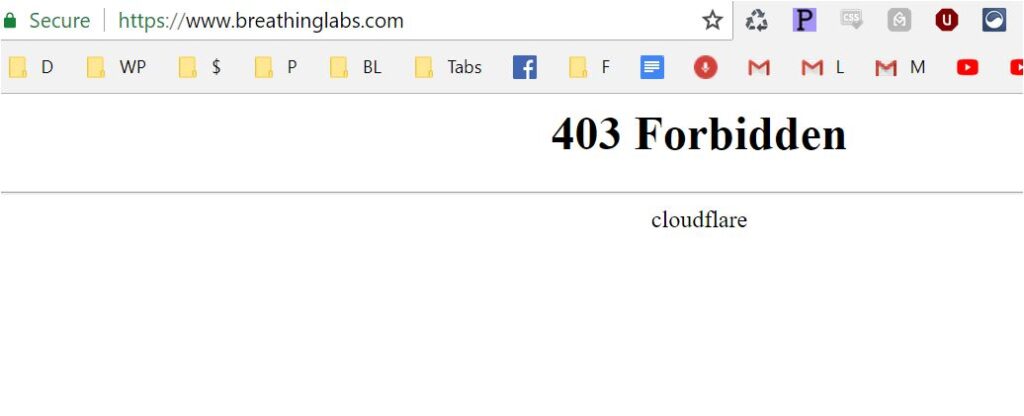
This is the tool I wish I had discovered earlier. curl_cffi is a Python wrapper around curl that adds TLS fingerprint impersonation, letting you make HTTP requests that look like they came from real browsers at the encryption layer.
The reason this matters is that modern bot detection systems do not just look at your headers. They look at the way your HTTP client negotiates TLS, the order it presents cipher suites, the extensions it advertises, and the patterns it follows in the HTTP/2 handshake. Stock Python clients produce TLS fingerprints that no real browser ever produces, which is enough to fail Cloudflare and similar systems regardless of what headers you send.
curl_cffi solves this elegantly. With one line of code, you can impersonate Chrome, Safari, or Firefox at the TLS level. Suddenly requests that were getting 403s start succeeding.
Where curl_cffi works well:
- Cloudflare-protected sites where headers alone are not enough
- Any site doing TLS fingerprinting
- Projects where you want browser-level stealth without the cost of running a real browser
- High-volume scraping that needs to be both fast and undetected
Where curl_cffi falls short:
- Sites that require JavaScript execution (it is still just an HTTP client)
- Browser fingerprinting beyond TLS (canvas, WebGL, fonts)
- Sites with sophisticated behavioral analysis
This tool is one of the reasons I have been able to keep using HTTP-based scraping on sites that I previously thought would force me to a full browser. The performance difference is enormous — curl_cffi is hundreds of times faster than Playwright, which matters when you are scraping millions of pages.
Managed Scraping Services I Actually Trust
Open-source tools handle most of what I do. But for certain projects, the time and cost of fighting bot protection is not worth it, and a managed service makes more sense. Here are the ones I have used enough to have an opinion about.
Bright Data
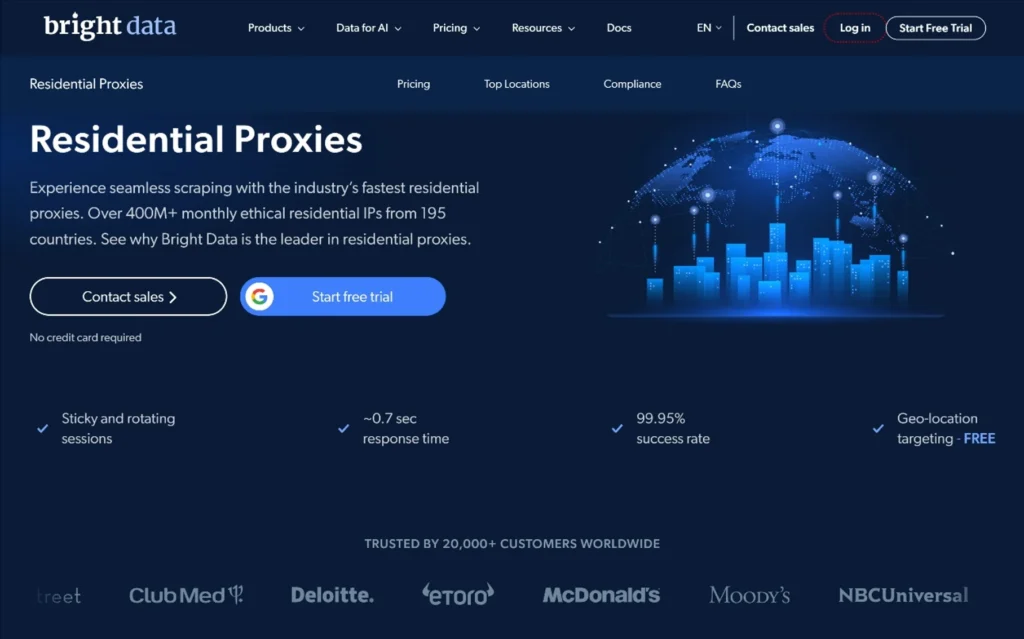
Bright Data is the heavyweight of the managed scraping world. They started as a proxy provider and have expanded into a full suite of scraping tools, including residential proxies, mobile proxies, a Web Scraper IDE, and pre-built scrapers for specific sites.
I have used their residential proxies on dozens of projects. The pool is genuinely large, the IPs are clean, geographic targeting works as advertised, and uptime has been reliable. For commercial scraping projects where my client expects results, Bright Data is usually my default proxy provider.
What I like:
- Massive residential and mobile IP pools with strong geographic targeting
- Genuinely reliable for projects where downtime is not acceptable
- Good documentation and responsive support for paying customers
- Compliance posture that legal departments are willing to sign off on
What I do not like:
- Expensive at scale. Residential bandwidth pricing adds up quickly.
- The dashboard is complex and takes time to learn
- Smaller projects pay a premium for capabilities they may not need
If you are running serious commercial scraping and have a budget for it, Bright Data is hard to beat. For a hobbyist or a small project, it is overkill.
Apify
Apify takes a different approach. It is a platform for running scrapers in the cloud, with a marketplace of pre-built scrapers (called Actors) for common sites. You can use someone else’s scraper, build your own, or have Apify host scrapers you have written in their environment.
I have used Apify both as a user of pre-built scrapers and as a developer hosting my own. The pre-built scrapers for sites like Google Maps, LinkedIn, and Instagram have saved me weeks of work on projects where building from scratch was not worth it.
What I like:
- Pre-built scrapers cover many common targets, often with reasonable pricing
- Their SDK and platform are genuinely well-designed for hosting your own scrapers
- Generous free tier for testing
- Strong community and active development
What I do not like:
- Pricing can be unpredictable on usage-based plans
- Pre-built scrapers vary in quality depending on the developer
- Customization beyond a certain point pushes you toward writing your own Actor anyway
Apify is the tool I recommend most often to people who need scraped data but do not want to become scraping engineers. The marketplace alone makes it worth a look.
ScraperAPI
ScraperAPI is the simplest managed service I use. You send your request to their endpoint with the target URL, and they handle proxies, headers, and retries on their side. The response comes back as if you had made the request directly.
For projects where I just need to get HTML and do not want to think about infrastructure, ScraperAPI is my go-to. It is not as powerful as Bright Data or as feature-rich as Apify, but it does its specific job well and at a reasonable price.
What I like:
- Dead-simple API that integrates with any scraper in five minutes
- Reasonable pricing for small to medium volumes
- Handles Cloudflare, JavaScript rendering, and proxy rotation for you
- Good for clients who want managed infrastructure without complexity
What I do not like:
- Less control than building it yourself
- Performance is slower than direct scraping with your own proxies
- Some difficult targets still fail, and you cannot do much about it
I think of ScraperAPI as a sensible middle ground. Not the most powerful, not the cheapest, but reliable and easy to integrate.
A Comparison Table for Quick Reference
| Tool | Best For | Skill Level | JavaScript Support | Cost |
|---|---|---|---|---|
| Scrapy | Large-scale structured crawling | Intermediate to advanced | No (needs integration) | Free, open-source |
| Playwright | JavaScript sites, interactive workflows | Intermediate | Yes, native | Free, open-source |
| BeautifulSoup | HTML parsing, small jobs | Beginner-friendly | No | Free, open-source |
| curl_cffi | TLS fingerprint evasion | Intermediate | No | Free, open-source |
| Bright Data | Commercial projects at scale | Any (managed) | Yes, via their tools | Paid, usage-based |
| Apify | Pre-built scrapers and cloud hosting | Beginner to advanced | Yes | Free tier + paid |
| ScraperAPI | Simple managed scraping | Beginner-friendly | Yes | Paid, usage-based |
My Real-World Stack
People often ask what my actual setup looks like, so here is the honest answer.
For most projects, I start with Scrapy as the framework, BeautifulSoup or built-in parsers for extraction, curl_cffi for protected sites that do not need JavaScript, and Playwright for the ones that do. I route everything through residential proxies from Bright Data or a similar provider, depending on the target geography and budget.
For storage, I use PostgreSQL for structured data and S3-compatible object storage for raw HTML when I want to be able to re-parse later. For scheduling, I use simple cron jobs for small projects and Airflow or a similar orchestrator for larger ones.
For monitoring, I log every request with status code, response time, and IP used. When 403s start appearing, those logs are what tell me whether the issue is a specific page, a specific IP range, or a site-wide change in defenses.
This stack has handled projects ranging from monitoring a few hundred URLs daily to scraping tens of millions of pages over a few weeks. The pieces are not exotic. They are well-known tools that work well together once you understand each one.
Common Mistakes I Made (and Watch Others Make)
Three years in, here are the patterns I have learned to avoid.
Picking tools based on tutorials, not problems. I used Selenium for two years because that is what every tutorial showed. Playwright is genuinely better for almost every case, and I would have saved time by switching sooner. Match the tool to the actual problem, not to what is popular.
Underestimating bot protection. Early on, I thought every site could be scraped with enough effort. That is not true. Some sites have invested so heavily in bot prevention that the cost of bypassing them exceeds the value of the data. Knowing when to walk away is part of the skill.
Skipping the proxy decision. A scraper without proxies works fine in testing and fails in production. Plan for proxies from day one, even if you do not turn them on immediately.
Building everything custom. Just because you can write a custom solution does not mean you should. Managed services exist for good reasons. When my time is the bottleneck, I use them.
Not monitoring. A scraper that works today may fail silently next week when the site changes layout. Without monitoring — checking record counts, comparing to historical patterns, alerting on failures — you find out about problems from your stakeholders, not your dashboards.
Ignoring legal and ethical questions. Scraping is not a neutral activity. Some scraping is clearly legal and ethical. Some is clearly not. A lot sits in the middle. I have learned to think about consent, terms of service, personal data, and rate limits before starting, not after.
How to Choose the Right Tool for Your Project
If you are starting fresh and unsure where to begin, here is the decision tree I would suggest based on what I have learned.
Start with what you need. If you just need to grab data from a simple site once or twice, use Python with requests and BeautifulSoup. No framework needed. You will learn the basics and finish in an hour.
If the site uses JavaScript heavily, move to Playwright. You will spend more time getting set up, but you will be able to handle modern web pages reliably.
If you are building a serious project that will run for months, invest the time in Scrapy. The upfront cost is real, but the long-term reliability and maintainability are worth it.
If you are hitting bot protection, add curl_cffi for HTTP-based scraping or stealth modifications for Playwright. If those are not enough, you are at the point where managed services become the practical answer.
If your project is commercial and downtime matters, budget for residential proxies from a reputable provider. Free proxies are not viable for production work.
If you need data from common sites and do not want to build anything, check Apify’s marketplace first. Someone may have already built what you need.
Practical Recommendations
A short list of habits that have served me well across every project.
- Read the target site’s robots.txt before you start. It does not bind you legally in most cases, but it tells you what the site owner prefers, and respecting that reduces friction.
- Inspect the network tab in your browser before writing code. Half the time, the data you want is already being delivered through a JSON API that is easier to consume than the HTML.
- Log every request. Status code, response time, IP used, headers sent. When things break, logs are the only thing that tells you why.
- Start with conservative request rates. You can always speed up. Getting unblocked after a permanent ban takes much longer than scraping slowly from the start.
- Build for failure. Networks fail, sites change, IPs get blocked. Your scraper should retry, recover, and resume from where it left off, not crash and restart from scratch.
- Validate the data, not just the response. A 200 OK response does not mean you got useful data. Check for expected fields, reasonable values, and unexpected layout changes.
- Keep raw HTML when storage allows. The cost is low, and being able to re-parse historical data when you discover a new field you want is enormously valuable.
- Document the scraper. Six months from now, you will not remember why you set a specific delay or chose a particular selector. Future-you will thank past-you.
FAQs About Best Web Scraping Tools:
Is web scraping legal?
It depends on what you are scraping, where you are, and how. Scraping publicly available data is generally lower risk than scraping content behind a login. Personal data brings privacy laws like GDPR into play. Bypassing technical access controls can run into computer misuse laws in some jurisdictions. For commercial scraping projects, talking to a lawyer who understands the relevant local laws is worth the cost.
What is the easiest scraping tool to learn?
For Python beginners, requests plus BeautifulSoup is the gentlest introduction. The concepts you learn there — HTTP requests, HTML structure, CSS selectors — apply to every other tool you will use later. Once you understand the basics, moving to Scrapy or Playwright becomes much easier.
Do I need proxies for every scraping project?
No. For small projects against unprotected sites, you can scrape from your own IP without issue. The moment you start sending hundreds or thousands of requests, or hitting any site with bot protection, proxies become necessary. For commercial work, plan for proxies from the start.
Can I scrape sites protected by Cloudflare?
Often yes, but it takes more work. Tools like curl_cffi for HTTP scraping, Playwright with stealth plugins for browser-based scraping, and managed services that handle Cloudflare automatically all exist. The right approach depends on the specific protection level and your scale requirements.
How much does a serious scraping setup cost?
It ranges widely. A hobbyist project can run entirely on free tools with your own IP. A small commercial project might spend a few hundred dollars a month on proxies and infrastructure. A large-scale operation can easily run into thousands per month for managed services, proxy bandwidth, and cloud hosting. The cost scales with target difficulty and data volume more than with anything else.
Should I use a scraping API or build my own?
Build your own if you have engineering time, want full control, and are scraping a small number of targets you will own long-term. Use a scraping API if you have multiple targets, limited time, or need to focus on what you do with the data rather than how you collect it. Most professional scrapers I know use a mix — building for their core targets and using APIs for everything else.
How do I keep my scrapers from breaking when sites change?
You do not, fully. Sites change, and scrapers break. What you can do is build resilience — schema validation, monitoring that catches drops in data volume, alerts that fire when expected fields go missing, and modular code that makes fixes fast. The goal is not to prevent breakage but to detect and fix it quickly.
What is the best language for web scraping?
Python is the most common and has the deepest ecosystem, which is why I use it. Node.js is a strong alternative, especially for projects already in a JavaScript stack. Go offers performance advantages at scale. The language matters less than the tools and patterns. Pick whichever lets you ship.
Final Thoughts
Three years into doing this seriously, I am less interested in finding the perfect tool and more interested in understanding what each tool is good at. The mature view of scraping is not “what tool should I use” but “what does this project actually need, and which combination of tools meets that need without overengineering?”
The tools I have written about here are the ones I trust. Scrapy for scale, Playwright for interaction, BeautifulSoup for parsing, curl_cffi for stealth at the HTTP layer, and managed services like Bright Data, Apify, and ScraperAPI when buying time makes more sense than building it.
If you are starting out, do not feel like you need to master all of them at once. Pick the simplest tool that solves your current problem, ship something that works, and learn the next tool when you actually need it. The people who become good at scraping are not the ones who memorize every framework. They are the ones who develop a feel for matching tools to problems, and that only comes from doing the work, breaking things, and fixing them.
That is honestly the most valuable thing I can pass on after three years of this. The tools matter, but the judgment about when to use which one matters more. Build a few scrapers, get a few of them blocked, fix them, and the right tool for the next project starts becoming obvious.
What’s your go-to tool in your scraping stack? Drop your thoughts in the comments below. Thank you for reading.
You May Also Like
 Web Scraping
What Is Web Scraping and How Does It Work? A Complete 2026 Guide
 Web Scraping
How to Handle CAPTCHA While Scraping: A 2026 Developer’s Guide
 Proxies
Best Proxies for Web Scraping In 2026: How I Choose the Right Provider and Proxy Type
 Web Scraping
Cloudflare Blocking Scrapers Explained: Your 2026 Guide to Anti-Bot Protection
 Web Scraping
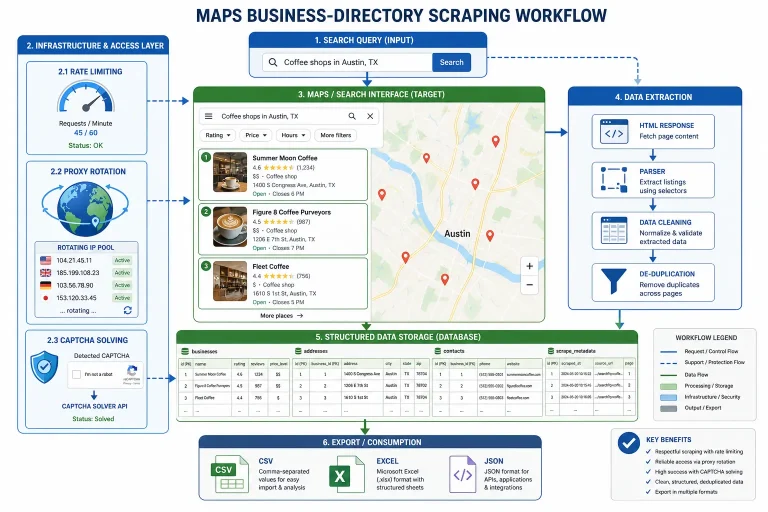
How Google Maps Scraping Actually Works (And Where Most Attempts Go Wrong)
 Web Scraping
Scrap.io Review 2026: What This Google Maps Lead Generation Tool Actually Gets Right (and Where It Falls Short)
 Web Scraping
The 7 Best PHP Web Scraping Libraries of 2026: The Ultimate Guide
 Web Scraping
User-Agent Rotation: What Actually Works (and What Google Detects in Milliseconds)
 Web Scraping