
I have built scrapers in all three of these tools, and I have rewritten projects from one into another more than once. That experience left me with strong opinions, but it also left me skeptical of the confident verdicts you see in most comparison articles. The truth is that the “best” choice depends on what you are scraping, how often it changes, how aggressive the anti-bot defenses are, and what your team already knows.
What I want to do here is walk through how I actually think about choosing between Playwright, Selenium, and Puppeteer when I start a new scraping project. Not feature checklists. Not benchmark tables ripped from someone else’s blog post. The decisions that matter, and the reasons one tool ends up being the right call over the other two in practice.
If you are deciding between them right now, you probably already know the basics. The harder question is which of them is actually going to make your life easier six months into a project, when the target site has changed three times, your scraper is running on a schedule, and you are debugging at 2 AM. That is the angle I am writing from.
Key Takeaways
- Playwright is the default choice for most new scraping projects today. It handles modern JavaScript-heavy sites better, has cleaner async support, and the auto-wait behavior eliminates an entire category of flaky bugs.
- Selenium is still the right answer for legacy environments and language flexibility. If your team writes in Ruby, C#, or older Java codebases, or you need to integrate with existing Selenium Grid infrastructure, the migration cost rarely pays off.
- Puppeteer is narrower than people remember. It is excellent for Chrome-only, Node.js-only projects, especially anything tied to Chrome DevTools features. Outside that lane, Playwright does the same job with more flexibility.
- None of them are stealthy out of the box. All three are detectable by modern anti-bot systems unless you add stealth plugins, residential proxies, and careful behavioral patterns. The tool you pick matters less than how you operate it.
- Performance differences are smaller than the marketing suggests. Playwright and Puppeteer are close enough that network latency dwarfs the gap. Selenium is meaningfully slower, but for most scraping workloads that is not the bottleneck.
- Maintenance cost is the real long-term factor. Playwright’s auto-wait and built-in tracing save more debugging hours over a project’s life than any raw speed advantage.
The Honest Backstory on These Three Tools
Before getting into the comparison, it helps to know where each of these came from, because the origin story explains a lot of the current behavior.
Selenium is the oldest of the three by a wide margin. It started as a testing tool in the mid-2000s and grew into the de facto standard for browser automation across virtually every programming language. Its design predates modern single-page applications, which is why it can feel clunky on sites that load everything through JavaScript. The WebDriver protocol it relies on is a W3C standard, which gives it broad compatibility but also slower communication with the browser compared to newer tools.
Puppeteer came out of Google in 2017. The team built it specifically to control Chrome through the Chrome DevTools Protocol, which is dramatically faster than WebDriver and gives access to features WebDriver does not expose. It was Node.js only at launch and is still primarily a Node.js library, though Python ports exist.
Playwright is the interesting one. Microsoft released it in 2020, built by some of the same engineers who originally created Puppeteer at Google before moving over. That lineage is visible everywhere in the API. Playwright is essentially Puppeteer reimagined with the lessons learned, plus cross-browser support, multiple language bindings, and a more thoughtful approach to the things that make automation flaky in the first place.
That history matters because it tells you where each tool is heading. Selenium has institutional momentum but slow innovation. Puppeteer is mature but narrow in scope. Playwright is the one absorbing the most active investment from a major company that treats it as a strategic product.
What Actually Matters When You Pick a Scraping Tool
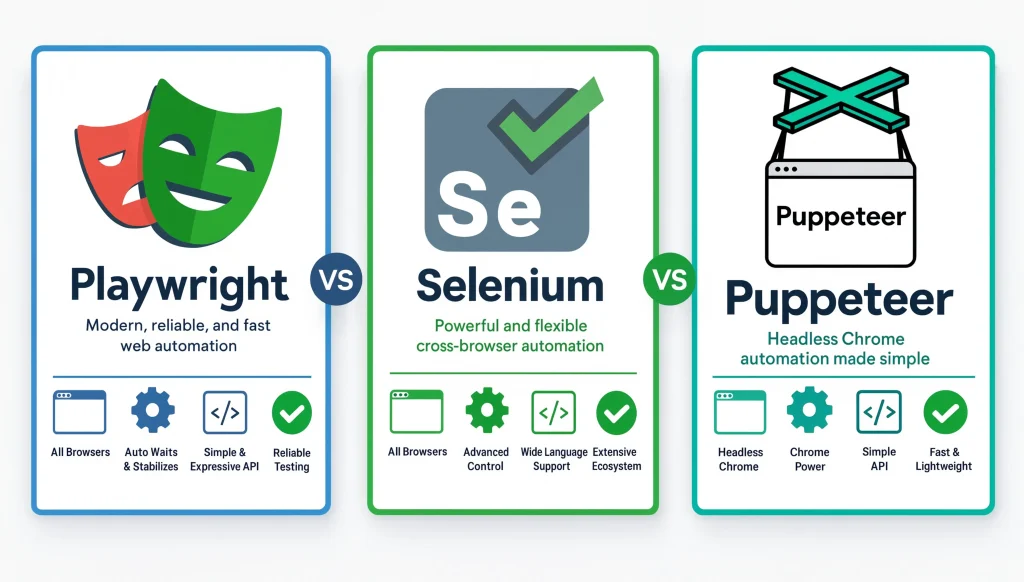
The feature comparisons you see online tend to list everything each tool can do. That is the wrong frame. What you actually want to know is which of these factors will determine the success or failure of your project.
In my experience, the decisions come down to six things:
Browser coverage. Do you need to scrape sites that behave differently in Chrome, Firefox, and Safari? If yes, Puppeteer is immediately out for anything beyond Chrome and a limited Firefox preview. Playwright handles all three engines natively. Selenium also supports all three but with more setup friction.
Language support. Playwright officially supports JavaScript/TypeScript, Python, Java, and .NET. Puppeteer is Node.js with an unofficial Python port. Selenium covers everything, including Ruby, PHP, Perl, and older platforms where the other two simply do not exist.
Anti-bot resistance. All three are detectable by default. The question is which ecosystem has the most mature stealth tooling. Puppeteer wins here on plugin maturity, with puppeteer-extra-plugin-stealth being the most battle-tested option in the ecosystem. Playwright has its own stealth adaptations, but they are newer and slightly less polished.
Maintenance and debugging. This is the factor most people underweight. Playwright’s auto-wait behavior, built-in tracing, and codegen tool save enormous amounts of debugging time. Selenium debugging often involves staring at stale element exceptions and figuring out where to add a WebDriverWait. The gap compounds over the life of a project.
Performance. Real-world benchmarks put Playwright and Puppeteer within a fraction of a second of each other on equivalent tasks. Selenium is consistently slower, sometimes by a factor of two or three, depending on the workload.
Infrastructure compatibility. If your team already runs Selenium Grid, sticking with Selenium has real value. If you are starting fresh, Playwright’s built-in parallelization handles most use cases without needing a separate grid.
The Comparison That Actually Helps You Decide
Rather than another generic feature matrix, here is the comparison I would have wanted when I was making this decision the first time.
| Factor | Playwright | Selenium | Puppeteer |
|---|---|---|---|
| Best for | Modern JS-heavy sites, new projects | Legacy systems, multi-language teams | Chrome-specific, Node.js-only work |
| Browsers | Chromium, Firefox, WebKit | All major browsers | Chrome and limited Firefox |
| Languages | JS/TS, Python, Java, .NET | Almost every language | Node.js (Python via unofficial port) |
| Speed (relative) | Fast | Slowest | Fastest on Chrome by a small margin |
| Auto-wait | Yes, built in | No, manual waits required | Partial |
| Stealth ecosystem | Good, growing | Mature, fragmented | Most mature plugin ecosystem |
| Debugging tools | Trace viewer, codegen, inspector | Browser dev tools, third-party | DevTools Protocol, basic |
| Learning curve | Moderate | Steeper for production-grade | Easiest if you know JS |
| Backed by | Microsoft | Open-source community |
The table tells you the surface differences. The real question is how these play out when you are actually building.
When I Reach for Playwright
For any new scraping project that does not have a constraint forcing me toward something else, Playwright is what I open first. The reasons are practical, not ideological.
Auto-wait is the feature I miss the most when I have to use Selenium. In Selenium, you write explicit waits for visibility, clickability, and presence, and you spend a meaningful portion of your debugging time figuring out which kind of wait you actually needed. Playwright handles this internally. When you call page.click(), it waits for the element to be attached, visible, stable, and enabled before clicking. The flakiness drops dramatically without any extra code.
The trace viewer is the second feature that changes how I work. When a scraper fails in production, Playwright can record a complete trace of the run, including DOM snapshots at each step, network activity, and console logs. You open the trace in a browser and step through what happened. Reproducing intermittent failures used to take hours. Now it takes minutes.
The async API in Python is cleaner than what you get with Selenium. If you are running multiple scraping tasks in parallel within a single process, Playwright’s async model lets you do that without spinning up threads or processes. For high-throughput work, this matters.
Cross-browser support is mostly a nice-to-have for scraping, but it occasionally saves a project. Some sites serve materially different content to WebKit (Safari’s engine) than to Chromium. Being able to run the same script in either without changing tools is genuinely useful.
The honest downside is that Playwright is newer, so when you hit an obscure edge case, the Stack Overflow answer count is lower than Selenium’s. The official docs are excellent, which compensates, but for niche problems you sometimes have to figure things out yourself.
When Selenium Is Still the Right Call
I do not reach for Selenium first anymore, but there are clear scenarios where it remains the correct choice.
If your team writes in a language Playwright does not support, the decision is made for you. Ruby, PHP, Perl, and older Java environments still have Selenium as the only realistic option. Adopting Playwright would require either learning a new language or switching to one of its officially supported ones, which is a much larger ask than the marginal speed improvement justifies.
If you already have a working Selenium Grid setup that distributes scraping jobs across machines, ripping it out for Playwright’s built-in parallelization is rarely worth the migration cost. Grid is mature, well-documented, and integrates with infrastructure tools your team probably already runs.
If you are scraping older or unusual browsers, including Internet Explorer in legacy enterprise environments, Selenium is the only tool that supports them. I have done a few projects scraping internal corporate systems that ran on browsers, nothing else could automate.
If long-term stability matters more than features, Selenium has a track record that nothing else can match. APIs change slowly. Backwards compatibility is taken seriously. Scripts written years ago still run with minimal modification, which is not always true with newer tools.
The case against Selenium for new projects is mostly about the things you have to write yourself: explicit waits, retry logic, parallel execution patterns, and the various workarounds for sites that load content dynamically. None of these are dealbreakers, but they add up. A Playwright script that does the same job is usually shorter, cleaner, and less prone to subtle timing bugs.
When Puppeteer Still Makes Sense
Puppeteer occupies a narrower niche than it used to, but the niche is real.
If your entire stack is Node.js and you only need to scrape Chrome, Puppeteer is slightly faster than Playwright on the same task and has a smaller dependency footprint. The difference is small, often under a second on a multi-step task, but at high volume it compounds.
If you depend heavily on Chrome DevTools Protocol features that Playwright abstracts away or has not exposed, Puppeteer gives you more direct access. This matters for performance profiling, network interception at a deep level, and certain types of fingerprinting work.
The stealth ecosystem is the strongest argument for Puppeteer in scraping specifically. puppeteer-extra-plugin-stealth has been refined over years against real anti-bot systems. The equivalent Playwright stealth tooling exists and is improving, but it is still catching up. If you are scraping sites with sophisticated bot detection and Node.js is your stack, Puppeteer’s stealth maturity is a real advantage.
Outside those scenarios, I would generally pick Playwright. The cross-browser support, multi-language bindings, and better debugging tools usually outweigh Puppeteer’s marginal speed advantage on Chrome.
The Anti-Bot Reality Nobody Wants to Talk About
Here is the part of the comparison that most articles skip, and it is the part that actually determines whether your scraper works.
All three tools are detectable by default. Cloudflare, Akamai, DataDome, PerimeterX, and the other major anti-bot vendors have signatures for each one. They look at the navigator.webdriver flag, the absence of certain Chrome runtime objects, timing patterns in user input, mouse movement, and a dozen other signals. Out of the box, all three tools fail these checks.
The differences between them on bot detection are real but smaller than people think. What matters more is:
The proxy infrastructure you use. Residential proxies are dramatically harder to block than datacenter IPs. This is usually a bigger factor than which automation tool you picked.
The stealth plugin maturity. Puppeteer has the most mature options. Playwright is close. Selenium with undetected-chromedriver is workable but more fragile.
How you operate the browser. Reusing the same browser instance across hundreds of sessions, ignoring cookies, and making requests at machine speed will get you blocked regardless of the tool. Realistic delays, session rotation, and proper cookie handling matter more than the tool choice.
The actual workflow you are automating. A scraper that logs in, navigates like a human, and reads a few pages per session looks very different to a bot detector than one that fires 200 requests in 30 seconds. Tool choice cannot fix that.
If anti-bot resistance is your primary concern, the honest answer is that no scraping framework is going to solve it for you. You need stealth plugins, residential proxies, realistic timing, session management, and often a managed scraping service for the hardest targets. The tool sitting underneath is a secondary concern.
Performance: The Real Numbers Are Less Dramatic Than the Marketing
Performance claims in this space are wildly inconsistent, mostly because everyone benchmarks different things on different hardware against different sites.
What I have seen consistently across my own projects:
Playwright and Puppeteer are close enough that the difference is rarely meaningful. On a single page load with a few interactions, they are usually within a few hundred milliseconds of each other. Some benchmarks favor Playwright, others favor Puppeteer. The differences come from browser launch overhead, network conditions, and how each tool handles waits, not from anything fundamental.
Selenium is consistently slower on equivalent tasks, often by 30 to 50 percent. The WebDriver protocol adds latency on every command, and the lack of auto-wait usually means you are either waiting longer than necessary with conservative explicit waits or hitting flaky errors with aggressive ones.
Network latency dwarfs all of these differences in real scraping work. If you are scraping pages that take 2 to 5 seconds to load, the tool overhead is noise. The only time performance becomes a real factor is at scale, where you are running thousands of sessions per hour and the cumulative overhead matters.
For most scraping projects, performance is not the right axis to optimize. Maintenance cost, debuggability, and anti-bot resistance affect your timeline far more.
Architecture Patterns That Actually Work
After enough projects, you start to see patterns in what scales and what does not.
- Single-machine scraping with built-in concurrency. For most small to medium projects, running Playwright with its async API on a single beefy machine handles surprising amounts of throughput. You can run 10 to 50 concurrent browser contexts on a 16 GB box, depending on the site. This is the pattern I default to until I have evidence that I need something more complex.
- Distributed scraping with a queue. For larger projects, the right pattern is a queue (Redis, RabbitMQ, SQS) feeding worker processes that each run one or more browser instances. This works equally well with all three tools, but Playwright’s cleaner concurrency model makes the worker code simpler.
- Managed browser services. For projects with serious anti-bot challenges or high scale, services like Browserless, Bright Data Scraping Browser, or ScrapingBee handle the browser infrastructure for you. You connect to them with Playwright or Puppeteer over the CDP protocol. The cost is real, but for hard targets the alternative is building all of that yourself.
- Hybrid scraping. Use a browser tool to handle login and any JavaScript-heavy steps, then extract cookies and switch to
requestsorhttpxfor the bulk of the data fetching. This is dramatically faster than running a full browser for every page and works better than people expect for many sites. Playwright’srequest_contextand Puppeteer’spage.evaluatewithfetchboth support this pattern cleanly.
The mistake I see most often is jumping to a complex distributed architecture before the simple single-machine pattern stops working. For most scraping projects, that day never comes.
Common Mistakes I Have Made and Watched Others Make
The same handful of mistakes show up in scraping projects regardless of which tool you pick.
Treating headless mode as automatic stealth is the first one. Headless browsers expose different fingerprints than headed ones, and many anti-bot systems look specifically for headless signatures. Running headed in production is sometimes the right call.
Overusing full browser automation is the second one. If a site has a JSON API behind the scenes, hitting that API directly is faster, more reliable, and harder to detect than driving a browser. Spend time inspecting network traffic before writing browser code.
Picking the tool based on language preference rather than project requirements. I have seen teams use Selenium for a modern SPA-scraping project because everyone knew it, and then spend weeks debugging timing issues that Playwright would have handled automatically. The familiarity tax is real.
Skipping the stealth setup until the scraper gets blocked. Adding stealth plugins, rotating user agents, and configuring proxies after the fact is much harder than building it in from the start. Plan for detection in the initial architecture.
Not budgeting for maintenance. Sites change. Selectors break. Anti-bot systems update. A scraper is not a one-time project. The tool that makes maintenance easiest will pay back its initial setup cost many times over.
My Actual Recommendation Framework
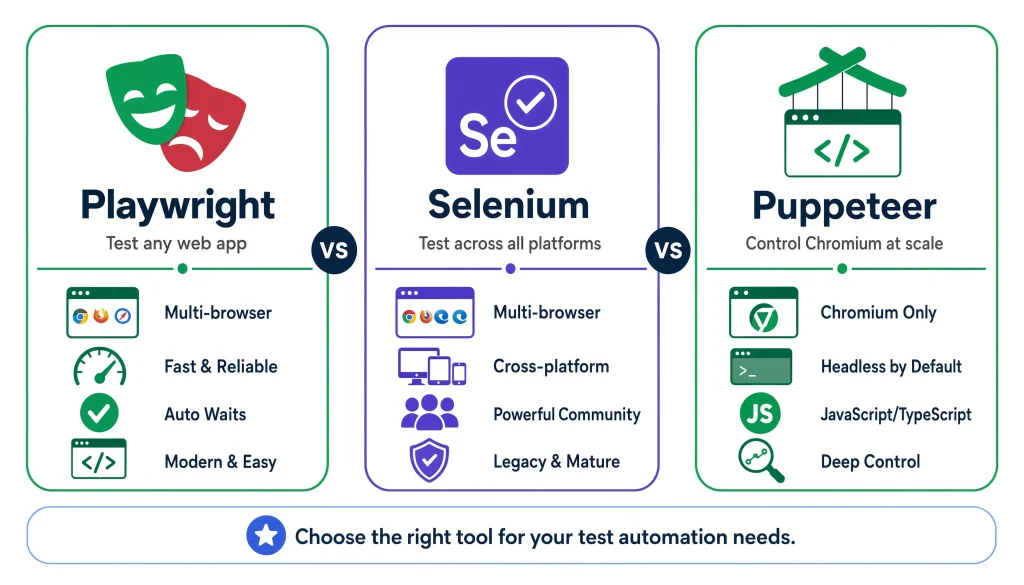
When someone asks me which one to pick, the conversation usually goes like this.
Start with Playwright unless you have a specific reason not to. It handles the broadest range of use cases, has the best debugging tools, and is actively maintained by a team that treats scraping as a first-class workflow.
Pick Selenium if your team’s language stack does not match Playwright’s bindings, you have existing Selenium Grid infrastructure, or you need to support browsers Playwright does not.
Pick Puppeteer if you are doing pure Node.js scraping against Chrome, your stealth requirements are high enough that the plugin ecosystem matters, or you need deep Chrome DevTools Protocol access.
For everything else, default to Playwright and revisit the decision only if you hit a concrete limitation. The defaults are usually right, and the energy you would spend optimizing the tool choice is almost always better spent on selectors, proxies, and anti-detection patterns.
Frequently Asked Questions
Is Playwright really faster than Selenium for scraping?
Yes, consistently, but the gap is not always meaningful. On individual page loads, Playwright is often 30 to 50 percent faster. At scale, that compounds. For small projects, the difference is mostly invisible against network latency.
Can I use Puppeteer with Python?
There is a port called Pyppeteer, but it is not officially maintained by Google and lags behind Puppeteer’s Node.js version. For Python scraping, Playwright is the better choice.
Which one is hardest for sites to detect?
None of them are stealthy by default. With proper stealth plugins, Puppeteer has the edge because of puppeteer-extra-plugin-stealth, but the gap is closing. Proxy quality and behavioral patterns matter more than the tool itself.
Do I need Selenium Grid for Playwright?
No. Playwright has built-in parallelization that handles most use cases. You can connect Playwright to a Selenium Grid if you already have one, but it is rarely necessary for new projects.
Should I learn Selenium first because more jobs require it?
The job market still leans toward Selenium for testing roles. For scraping specifically, Playwright knowledge is increasingly valuable, and the concepts transfer cleanly between tools. If you have time, learn both. If you only have time for one and your focus is scraping, learn Playwright.
Can I migrate a Selenium scraper to Playwright easily?
The concepts map closely but the syntax is different enough that it is a rewrite, not a port. Plan for it accordingly. The rewrite usually produces a smaller, cleaner codebase, which is part of the reason it is worth doing for active projects.
Conclusion
The honest answer to “which is best” is that Playwright wins for most new scraping projects today, Selenium remains the right choice when language support or existing infrastructure forces the issue, and Puppeteer holds onto a meaningful niche in Chrome-only Node.js work with serious stealth requirements.
What matters more than the tool is how you use it. The scrapers I have seen succeed are the ones built with realistic expectations about anti-bot detection, sensible architecture for the scale they actually need, and a maintenance plan for when the target site changes. The scrapers I have seen fail usually picked the right tool and then underestimated everything around it.
Pick one and start building. If you make the wrong call, you will figure it out within a week, and migrating between these tools is annoying but not catastrophic. The bigger risk is spending so long deciding that you never actually build anything.
You May Also Like
 Web Scraping
What Is Web Scraping and How Does It Work? A Complete 2026 Guide
 Web Scraping
How to Handle CAPTCHA While Scraping: A 2026 Developer’s Guide
 Proxies
Best Proxies for Web Scraping In 2026: How I Choose the Right Provider and Proxy Type
 Web Scraping
Cloudflare Blocking Scrapers Explained: Your 2026 Guide to Anti-Bot Protection
 Web Scraping
How Google Maps Scraping Actually Works (And Where Most Attempts Go Wrong)
 Web Scraping
Scrap.io Review 2026: What This Google Maps Lead Generation Tool Actually Gets Right (and Where It Falls Short)
 Web Scraping
The 7 Best PHP Web Scraping Libraries of 2026: The Ultimate Guide
 Web Scraping
User-Agent Rotation: What Actually Works (and What Google Detects in Milliseconds)
 Web Scraping