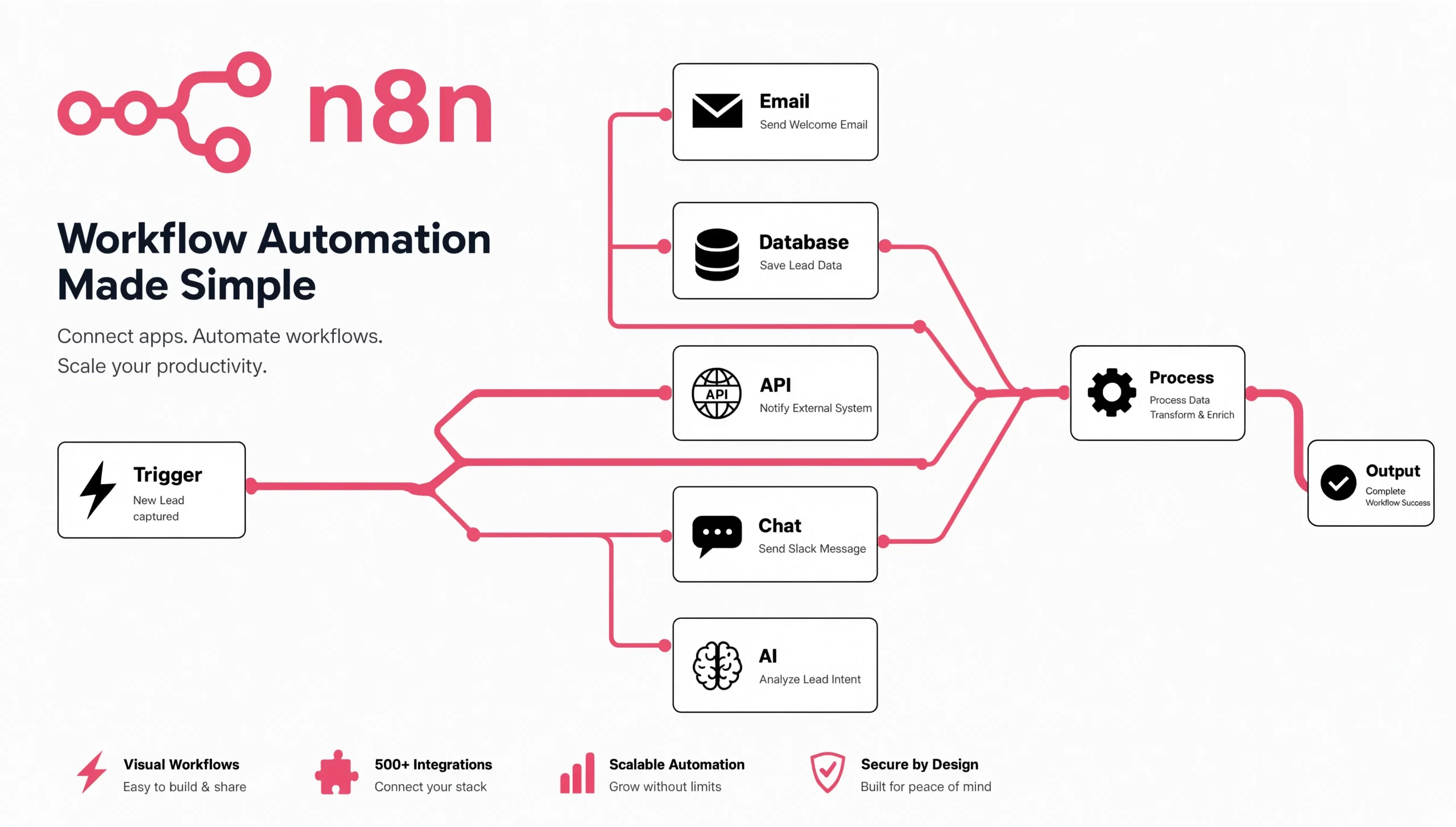
n8n started life as a fair-code workflow automation tool a self-hostable, node-based alternative to Zapier and Make. That framing is now outdated. Over the last eighteen months, n8n has quietly become one of the most pragmatic places to build AI agent systems, largely because it forces you to be honest about the parts of an agent that are just plumbing: HTTP calls, retries, credential management, queueing, human-in-the-loop steps, and long-running state.
This guide is for developers who have already tried the “let’s build an agent” hello world and are now asking harder questions: How does n8n’s AI Agent node actually behave under production load? Where does it break? When should you use n8n as your orchestration layer versus dropping to LangChain, LangGraph, or a custom Python service? What does a real RAG pipeline look like when you have to ingest, chunk, embed, retrieve, and evaluate, not just demo it?
I’ll be direct about tradeoffs throughout. n8n is excellent at some things, mediocre at others, and genuinely unsuitable for a specific class of problems that its marketing tends to gloss over.
Key Takeaways
- n8n’s AI Agent node is now a first-class LangChain-based agent runtime with tool calling across GPT-5, Claude, Gemini, GLM 5.2, and local models — but it still has meaningful gaps around tool-call memory and multi-agent coordination that you must design around.
- n8n excels as an orchestration and integration layer. It is a poor choice as a reasoning framework if your agent needs complex branching state, cyclic graphs, or dynamic agent spawning — that’s LangGraph or CrewAI territory.
- Self-hosting is genuinely cheap and viable, but production readiness means queue mode, Redis, worker isolation, and external Postgres — not
docker run n8nio/n8non a VPS. - The Sustainable Use License matters more than most tutorials admit. If you’re building agents for clients as a service, read the license carefully before you scale.
- Native MCP (Model Context Protocol) support — both as server and client — is arguably the most consequential 2025–2026 addition, because it changes how n8n fits into a broader agent ecosystem.
- Observability is the silent killer. n8n’s built-in execution logs are fine for workflow debugging and useless for agent evaluation. Plan for Langfuse or equivalent from day one.
What is n8n for AI Agents?
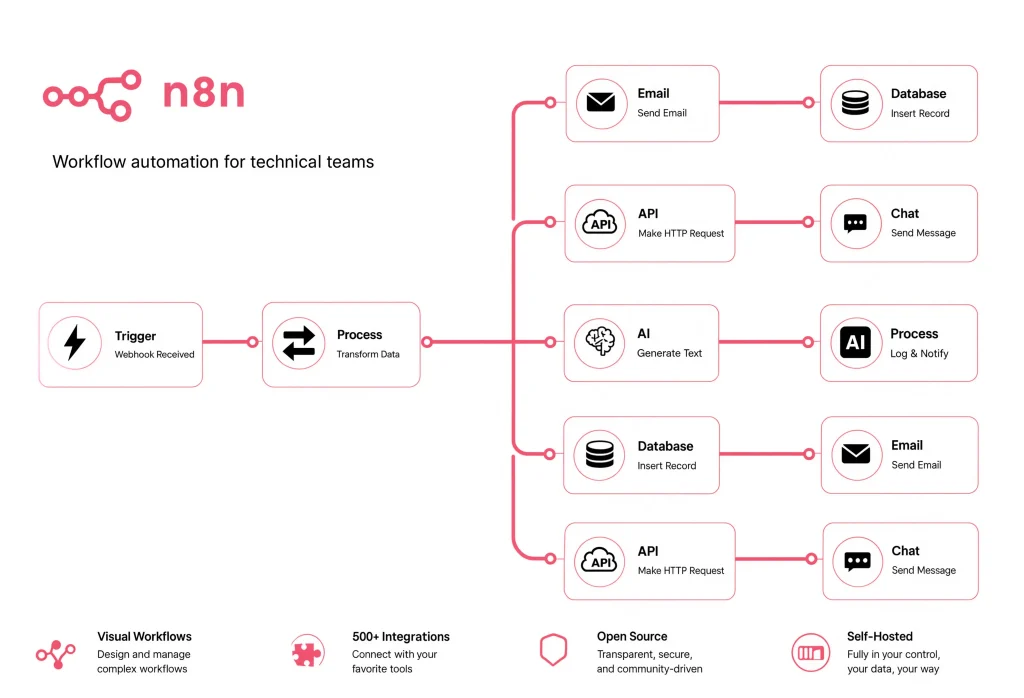
The community keeps conflating two very different things: workflow automation with LLM steps and agentic AI. Most “n8n AI agent” tutorials on YouTube are the former dressed up as the latter.
A workflow with an LLM step is deterministic: node A runs, node B runs, an LLM classifies or summarizes, node D runs. The graph is static. That is 80% of what people actually ship, and n8n is superb at it.
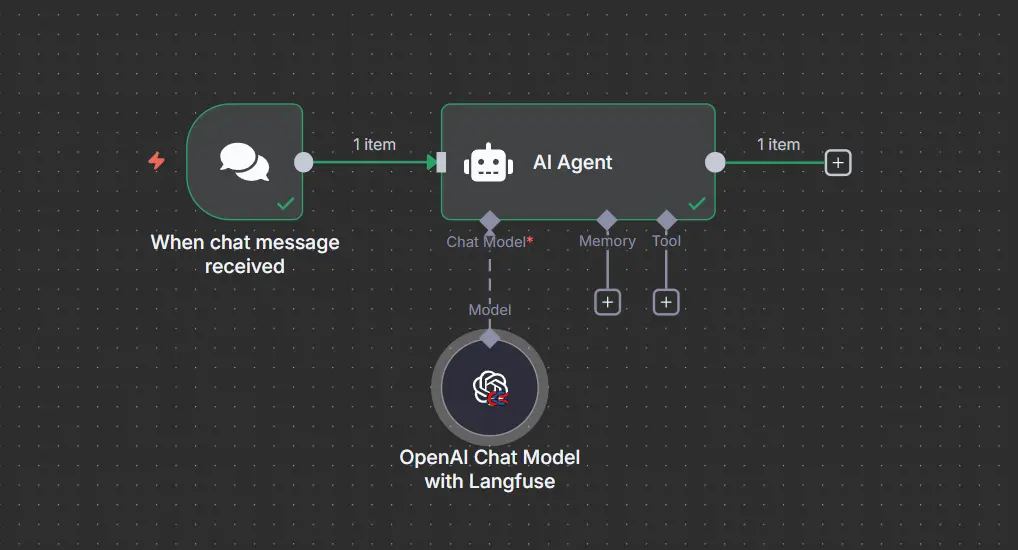
An AI agent, in the sense that matters here, is a runtime where an LLM decides which tool to call next based on the current state, potentially loops, and terminates when it believes the goal is met. n8n’s AI Agent node — a LangChain wrapper under the hood — implements this via tool-calling agents. You attach a chat model, memory, and one or more tools (which can themselves be sub-workflows, HTTP requests, vector stores, or code nodes), and the node handles the reasoning loop.
That distinction matters because n8n’s visual canvas is outside the agent’s reasoning loop. Inside the AI Agent node, the LLM is making decisions you cannot see on the canvas. This is a frequent source of confusion — developers assume the visual graph is the agent’s logic, when in reality it’s just the surrounding orchestration.
When n8n is the right choice
- You need an agent that touches 5+ SaaS systems (CRM, calendar, docs, ticketing, Slack, etc.) and you don’t want to write and maintain 5+ SDK integrations.
- You want non-developers on your team to inspect and modify parts of the workflow — prompt templates, routing rules, escalation paths.
- You need webhooks, cron triggers, form endpoints, and queueing as first-class citizens.
- You want to self-host on your own infrastructure for compliance or cost reasons.
When n8n is the wrong choice
- Your agent’s core value is complex, cyclic reasoning with dynamic sub-agent spawning. Building this in n8n is possible but painful, and a Reddit thread that made the rounds last year — “Multi-Agent AI in n8n Is a Total Scam” — makes a fair point: what people call “multi-agent” in n8n is usually just sequential pipelines of single agents.
- You need sub-second latency. n8n’s execution model adds overhead that is invisible in demos and painful at scale.
- Your reasoning graph needs first-class state persistence, human interrupts mid-reasoning, and time-travel debugging. LangGraph is purpose-built for this.
- You’re a Python-first shop and your team would rather write code than click nodes. Fighting the abstraction is not worth it.
The Anatomy of an n8n AI Agent (In Practice)
The n8n AI Agent node has four attached sub-components. Getting the mental model right saves a week of confusion.
| Component | What it does | Common gotcha |
|---|---|---|
| Chat Model | The LLM that reasons and issues tool calls (OpenAI, Anthropic, Google, Ollama, Groq, etc.) | Tool-calling agents require a model that supports function/tool calling. Not all models on the list do, especially open-source ones. |
| Memory | Conversation history the agent sees on each turn | The default memory stores user/assistant messages but not tool call messages, which breaks multi-turn tool reasoning. (GitHub) |
| Tools | HTTP requests, sub-workflows, vector stores, code snippets, or MCP servers the agent can invoke | Tools with vague descriptions get ignored. The tool description is the prompt for the tool. |
| Output Parser (optional) | Forces structured output | Adds latency and can silently retry — check your token bills. |
The “brain, prompts, memory, tools” framing you’ll see repeated across LinkedIn is fine as a beginner mental model, but it obscures the most important design question: what does the agent’s context window look like on turn 5? That’s where things fall apart in production.
The tool-call memory problem
This deserves its own callout because it is the most common cause of “my agent works in testing and hallucinates in production.” The n8n AI Agent node’s memory implementations — Simple Memory, Postgres Chat Memory, Redis Chat Memory, Zep — persist input and output messages by default. Tool invocations and tool results are often not included on the next turn. So an agent that called get_customer_orders(id=123) on turn 2 has no record of that call on turn 4 and may call it again, or, worse, hallucinate that it already has the answer.
The pragmatic workaround: after any tool call, append a synthetic assistant message summarizing what was retrieved (“I looked up customer 123 and found 4 orders: …”). It’s ugly, but it works, and it’s cheaper than switching stacks.
Building a Real RAG Workflow in n8n
Every second n8n tutorial demos RAG. Almost none of them show what a production ingestion pipeline looks like.
A workable production RAG in n8n has two workflows, not one:
Workflow 1 — Ingestion (async, scheduled or webhook-triggered):
- Source connector — Google Drive / S3 / Notion / a webhook that receives new documents.
- Text extraction — n8n’s built-in nodes handle PDF, DOCX, HTML. For scanned PDFs you’ll still need an OCR step (Tesseract via a Code node or a paid OCR API).
- Chunking — the default recursive text splitter is fine for prose. For code, tables, or mixed content, write a Code node.
- Metadata enrichment — this is where 80% of retrieval quality is won or lost. Attach source URL, document type, section headers, last-modified date, and access-control tags to each chunk.
- Embedding — OpenAI
text-embedding-3-smallis the default; for cost-sensitive workloads,nomic-embed-textvia Ollama runs locally. - Vector store upsert — Pinecone, Qdrant, Supabase pgvector, or Weaviate are all supported natively. Supabase is the community favorite because you can co-locate structured data and vectors, and n8n has excellent native nodes for it.
Workflow 2 — Retrieval and generation (synchronous, chat-triggered):
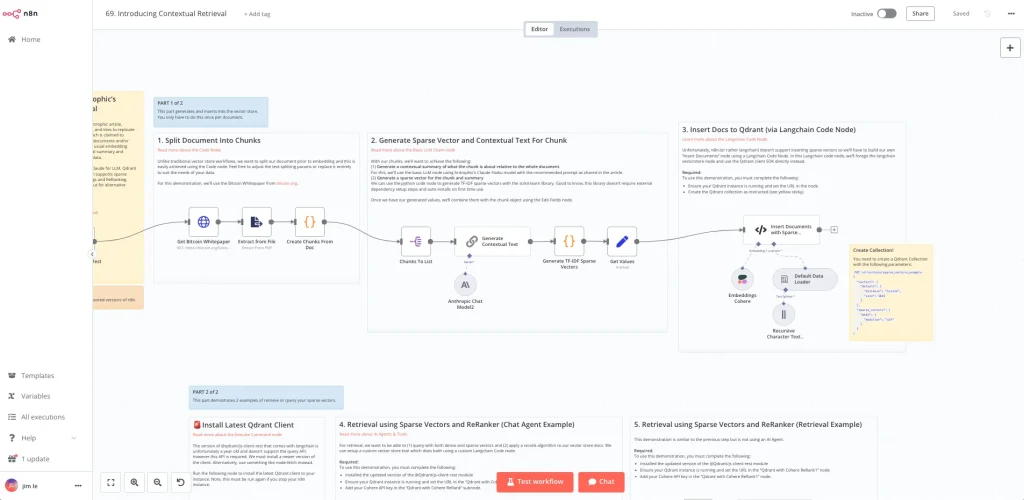
- Chat trigger — webhook, form, Slack, or the built-in chat UI.
- Query rewriting — an often-skipped step. A cheap LLM call rewrites the user’s question into a search-optimized query. This alone can lift retrieval quality 20–30%.
- Hybrid retrieval — dense vectors + BM25 keyword search. If your vector store supports it natively (Weaviate, Qdrant), use it; otherwise run two retrieval nodes and merge.
- Reranking — Cohere Rerank or a cross-encoder. This step is where advanced practitioners separate themselves. A community-documented “contextual summaries + sparse vectors + reranker” pattern is worth studying.
- AI Agent node with the reranked chunks injected into the system prompt or exposed as a
search_knowledge_basetool. - Post-processing — citation extraction, PII redaction, evaluation logging.
The frequently overlooked consideration here: your ingestion workflow needs idempotency. If the same document arrives twice, or you re-run a backfill, you need deterministic chunk IDs (I use sha256(source_uri + chunk_index)) so upserts don’t create duplicates. n8n won’t do this for you.
n8n vs LangChain vs LangGraph vs Flowise: Honest Comparison
The internet is full of comparison tables that are basically feature checklists. Here is one built around the questions that actually decide the choice in a real project.
| Dimension | n8n | LangChain (Python/JS) | LangGraph | Flowise |
|---|---|---|---|---|
| Primary abstraction | Nodes on a canvas + LangChain agent runtime inside a node | Chains, agents, runnables in code | Explicit state graph, cyclic, checkpointed | Visual LangChain builder |
| Best at | Integrations, cron/webhook orchestration, SaaS glue | Custom reasoning logic, embedding in existing services | Complex stateful agents, human-in-the-loop | Prototyping chatbots |
| Weakest at | Complex reasoning graphs, sub-second latency | Non-LLM plumbing (queues, SaaS integrations) | Learning curve, still evolving APIs | Production hardening |
| State management | External DB via memory nodes | Manual, but flexible | First-class, checkpointed | Basic |
| Multi-agent | Sequential agents work; true coordination is DIY | Supported via LangGraph or manual | Purpose-built | Limited |
| Non-dev editability | Excellent | None | None | Good |
| Observability | Execution logs; needs Langfuse for LLM-level | Native Langfuse/LangSmith | Native | Limited |
| Deployment | Self-host or cloud | Wherever your Python/JS runs | Same as LangChain | Self-host |
| License | Sustainable Use (fair-code) | MIT | MIT | Apache 2.0 |
The honest recommendation most consultants won’t give you: the tools compose. Real production systems use n8n as the ingress and orchestration layer, LangGraph or a custom Python service for complex reasoning, and Langfuse for observability across the whole stack. Treating them as either/or is a beginner framing.
Model Context Protocol: The Underrated 2026 Change
If you take one architectural idea from this article, take this one: build your tools as MCP servers, not as n8n-specific nodes.
n8n added both an MCP Server Trigger (so n8n workflows can be exposed as tools to Claude Desktop, Cursor, and other MCP clients) and MCP client capabilities (so n8n agents can consume external MCP servers).
Why this matters: you avoid vendor lock-in on your tool layer. A well-designed MCP server exposing your CRM’s capabilities can be consumed by an n8n agent today, a LangGraph agent tomorrow, and Claude Desktop next week — without rewrites. This is the same architectural instinct that made everyone eventually build REST APIs instead of proprietary RPC.
The tradeoff: MCP adds a network hop and a serialization layer. For latency-critical paths where the tool logic is trivial (e.g., a lookup), calling it directly as an n8n sub-workflow is faster. Reserve MCP for tools that have durable value beyond a single project.
Self-Hosting for Production: What the Tutorials Skip
Most self-hosting tutorials stop at docker-compose up. That gets you a demo, not a production system.
A production n8n deployment for AI agent workloads needs:
- Queue mode with Redis. Default execution mode runs everything on the main process. Under any real load — especially with LLM calls that can take 20–60 seconds — you’ll hit timeouts and lost executions. Queue mode separates the main process from workers, with Redis as the message broker.
- External Postgres, not SQLite. SQLite is fine for solo use. For anything else, you’ll corrupt the database under concurrent writes.
- Worker isolation. Long-running AI workflows shouldn’t share workers with fast webhook handlers, or one bad prompt will starve the whole queue. Run separate worker pools with
--concurrencytuned per workload class. - Timeout discipline. Set
EXECUTIONS_TIMEOUTexplicitly. LLM providers occasionally hang; without a timeout, workers zombie. - Execution data pruning. Every execution stores full input/output JSON. AI workflows with large embeddings or documents will fill your Postgres in weeks. Configure
EXECUTIONS_DATA_PRUNEaggressively. - Credential encryption key backup. If you lose
N8N_ENCRYPTION_KEY, every stored credential becomes unrecoverable. Store it in a secrets manager the way you’d store a database root password.
The pattern I see across teams that stay on n8n for years versus teams that quietly migrate off: the ones who stay treated n8n as production software from day one, with the same rigor they’d apply to any Node.js service. The ones who leave treated it as a no-code toy and were surprised when it behaved like one.
The Licensing Question Nobody Wants to Discuss
n8n uses the Sustainable Use License, not open source in the OSI sense. In practice this means:
- You can self-host and use it inside your own company: fine.
- You can build workflows for a specific client’s internal use: fine.
- You can charge for a hosted product where n8n is the value delivered (“bring your own workflow” SaaS): not fine without a commercial license.
- You can build an agency practice where you create and hand off workflows to clients who then run them: gray area, and the community threads suggest people interpret this differently.
I’ve watched several would-be “sell AI agents as a service” businesses discover this the hard way. If your business model depends on n8n being the product, get the commercial license quote before you write your pitch deck, not after.
Expert Insights
Prompts are the smallest problem. Developers new to agent building spend disproportionate time on prompt engineering. In practice, on a production n8n agent, prompt tuning is maybe 15% of the work. Tool design, memory design, error handling, and observability are the other 85%. If your team is deep in prompt refinement while the workflow still has no retry logic or evaluation harness, you’re optimizing the wrong thing.
“Deterministic first, agentic second” is a shipping rule. For any given feature, ask: can I express this as a deterministic workflow with LLM steps rather than an agent with tools? A classification + branch pattern is 10× more reliable than an agent that decides to call classify_intent on its own. Reserve genuine agent architectures for cases where the branching truly cannot be enumerated ahead of time.
The “5-node agent” is a canary. If your agent’s tool list is fewer than 3 tools and none of them require multi-step reasoning to compose, you don’t need an agent — you need a chain. The AI Agent node adds meaningful latency and cost overhead versus a straight LLM call. I audit workflows regularly and remove agent nodes that are really doing single-tool dispatch.
Every agent will silently fail. Design for that first. LLMs will occasionally return malformed tool calls, hallucinate tool names, retry infinitely, or emit responses that pass validation but are semantically wrong. Circuit breakers (max iterations, max cost per session, max tool calls per turn) belong in the workflow before the first prompt is written.
Observability separates hobbyists from operators. n8n’s execution log tells you whether a workflow ran. It doesn’t tell you whether the agent gave a good answer, or how much you spent per session, or which tool was called uselessly. Wire Langfuse (or Helicone, or your own logging) on day one. (Langfuse) You cannot improve what you don’t measure, and “trust me, users seem happy” is not a metric.
Common Mistakes
- Using Simple Memory in production. Simple Memory is in-process and evaporates on restart. Every serious agent needs Postgres, Redis, or a purpose-built store like Zep.
- Exposing raw HTTP Request nodes as agent tools. Tools should be sub-workflows with validation, error handling, and clear descriptions. Raw HTTP nodes leak implementation details into the LLM’s context and produce fragile agents.
- Ignoring token accounting until the invoice arrives. An agent that loops even occasionally can 10× your OpenAI bill in a weekend. Log token usage per execution and set hard budgets.
- Testing only the happy path. Feed your agent adversarial inputs during development: gibberish, prompt injections, requests for tools that don’t exist, contradictory instructions. If it doesn’t degrade gracefully, it’s not ready.
- Treating vector search as a solved problem. Retrieval quality is the ceiling on RAG agent quality. Beginners tune prompts and blame the LLM when the real problem is that their embeddings pull the wrong chunk 40% of the time.
- Skipping evaluation harnesses. Every serious agent needs a set of 20–50 canonical inputs with expected outputs, re-run on every prompt or model change. Without this, you’re guessing whether your last change was an improvement.
- Building “multi-agent” systems that are really sequential pipelines. If your agents don’t communicate, negotiate, or share state, you don’t have multi-agent — you have a workflow. That’s fine, but stop calling it multi-agent; the label sets false expectations for stakeholders.
- Forgetting that workers need memory too. In queue mode, if your worker container has 512MB and your workflow loads a 300MB PDF, you’ll see cryptic OOM crashes that don’t appear in staging.
Practical Recommendations
For solo developers or small teams — Start with n8n Cloud or a single self-hosted instance. Skip queue mode until you have concurrency issues. Use OpenAI or Anthropic for the LLM; local models are a rabbit hole that rarely pays off until you have real cost pressure.
For agencies building for clients — Read the Sustainable Use License first. Standardize on a small set of node patterns and document them. Build an evaluation harness template that ships with every client project. Charge for observability setup; it’s the highest-value work you can do.
For engineering teams inside larger companies — Treat n8n as a Node.js application. Deploy in queue mode with Redis and external Postgres from day one. Wire Langfuse. Set up CI that lints workflow JSON exports. Use MCP servers for any tool that non-trivial internal systems expose, so you’re not locked into n8n as your only agent frontend.
For anyone building an “AI agent product” — Ask honestly whether n8n is your orchestration or your product. If it’s the product, you probably need the commercial license and a serious conversation about whether LangGraph plus a custom UI would give you better margins.
FAQ
Is n8n a good choice for building production AI agents, or just prototypes?
Both, with caveats. n8n is production-grade for orchestration, integration, and moderate-complexity agents. It is not production-grade for latency-critical (sub-second) agent responses or for complex cyclic reasoning graphs. The failure mode is teams pushing n8n past its sweet spot and blaming the tool rather than choosing the right architecture.
How does n8n compare to LangChain for developers who know Python?
They’re solving overlapping but distinct problems. LangChain is a code-first framework for building LLM applications; n8n is a workflow platform that happens to embed LangChain inside its AI Agent node. If your work is mostly LLM reasoning logic, LangChain (or LangGraph) is more direct. If your work is mostly connecting LLM steps to 15 SaaS systems with cron triggers, n8n saves you weeks of integration work. Most real systems end up using both.
Can I self-host n8n for commercial use?
Yes for internal use in your own company or for a specific client’s internal operations. No for building a product where n8n is the value you sell. The Sustainable Use License is the source of truth; read it, don’t rely on forum interpretations.
What’s the biggest hidden cost of running AI agents in n8n?
Not the n8n licensing or hosting — it’s the LLM token bill from agents that loop. A tool-calling agent that gets stuck retrying can burn through $50 in an evening. Set maxIterations on every agent, log token usage per execution, and set hard monthly budget alerts at your LLM provider.
Does n8n support local LLMs?
Yes, via Ollama, LM Studio, and any OpenAI-API-compatible endpoint (vLLM, LocalAI, LiteLLM). The catch: many open-source models don’t reliably support tool calling in the format n8n’s AI Agent node expects. Test with your specific model and tool schema before committing to a local-first architecture.
What’s the fastest way to add memory that survives restarts?
Postgres Chat Memory. It uses the same Postgres instance you’re already running for n8n itself, requires zero additional infrastructure, and handles the durability question. Move to Redis or Zep when you need sub-100ms memory reads or session summarization.
How do I evaluate whether my n8n agent is actually good?
Build a static evaluation set — 20 to 50 real user inputs with the correct expected behavior labeled by a human. Re-run it after every meaningful change. Track pass rate, average token cost, and average latency over time. Anything less than this is vibes-based engineering.
Should I use the visual chat trigger or build my own frontend?
The built-in chat trigger is excellent for internal tools, demos, and small B2B use cases. For consumer-facing products you’ll almost certainly want your own frontend calling a webhook, both for branding and because the built-in chat has limited customization for streaming, citations, and rich responses.
Conclusion
The interesting truth about n8n in 2026 is that it has become quietly indispensable in the middle of the AI agent stack — not the reasoning layer, not the frontend, but the layer where LLM reasoning has to meet the reality of enterprise systems, webhooks, cron jobs, human approvals, and 400 different SaaS APIs. That’s a valuable position, and it’s one that pure-code frameworks like LangChain don’t compete for well.
The teams getting the most out of n8n are the ones who resist the temptation to make it do everything. They use n8n where it’s exceptional — integration, orchestration, human-editable workflows, self-hosted infrastructure — and they reach for LangGraph, custom services, or MCP-federated tools when the problem shape genuinely demands it.
If you’re evaluating n8n today, the right question isn’t “can n8n do this?” — the answer is almost always yes. The better question is “should n8n do this, given what I know about tradeoffs I’ll live with for the next two years?” That’s the question good architecture is built on, regardless of which tool ends up in the diagram.
You May Also Like
 Web Scraping
How to Handle CAPTCHA While Scraping: A 2026 Developer’s Guide
 Web Scraping
Cloudflare Blocking Scrapers Explained: Your 2026 Guide to Anti-Bot Protection
 Web Scraping
Scrap.io Review 2026: What This Google Maps Lead Generation Tool Actually Gets Right (and Where It Falls Short)
 Use Cases
Inside Kimwolf Traffic: How Residential Proxies Fuel Credential Stuffing, Web Scraping, & Fraud
 Web Scraping
User-Agent Rotation: What Actually Works (and What Google Detects in Milliseconds)
 Web Scraping
Web Scraping With JavaScript and Node.js: A Practical Guide
 Web Scraping
WebGL Fingerprinting in 2026: How It Works and 9 Bypass Methods That Survive Production
 Web Scraping
Scrapy vs Selenium: Which One Should You Use for Web Scraping in 2026?
 Use Cases