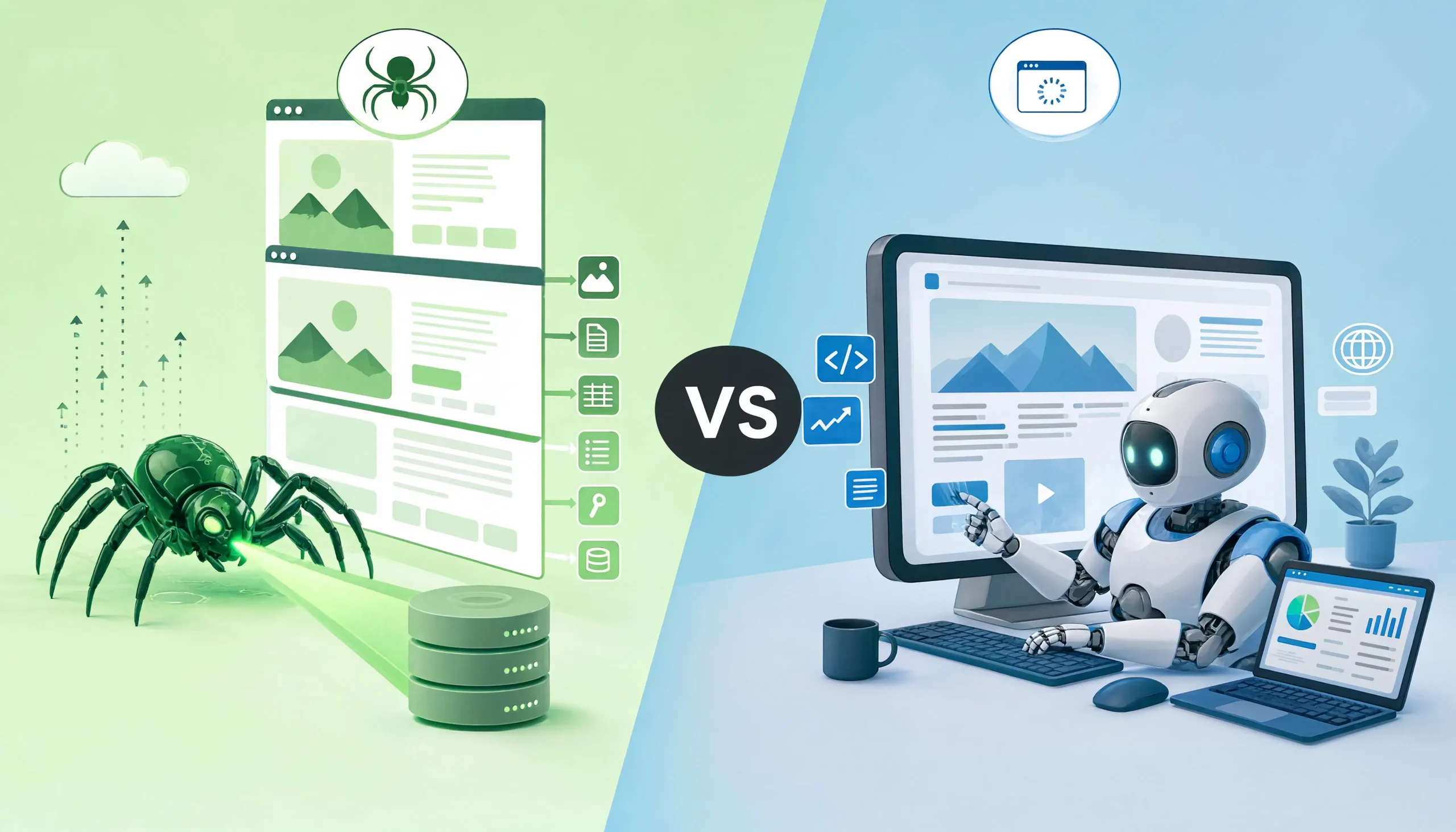
If you are comparing Scrapy vs Selenium, the short answer is simple: Scrapy is usually the better choice for large-scale, structured data extraction, while Selenium is the better choice when a real browser must render or interact with the page. The mistake most beginners make is treating them as direct substitutes. They solve overlapping problems, but they were built for different jobs.
In practice, teams that scrape thousands or millions of pages usually prefer Scrapy because it is asynchronous, fast, and designed for crawling pipelines. Teams that need to click buttons, wait for JavaScript-heavy UI changes, log into apps, or automate browser behavior usually reach for Selenium. The best decision comes from understanding the target site, the data source, and the maintenance cost of your stack before you write a single spider or browser script.
Quick answer
Scrapy: Best for large-scale crawling, structured extraction, pagination, feed exports, pipelines, and high-throughput scraping.
Selenium: Best for browser automation, JavaScript rendering, interaction-heavy pages, end-to-end workflows, and situations where the page only becomes useful after a real browser executes scripts.
Best rule of thumb: If the data is available in the HTML or network responses, start with Scrapy. If the page requires user-like interaction or browser execution to expose the data, use Selenium, or pair Scrapy with a browser tool only where necessary. Scrapy’s own documentation explicitly recommends reproducing the underlying requests first, and only using a headless browser when that approach fails or when you need browser-only output such as rendered state or screenshots.
What Scrapy actually is
Scrapy is a high-level Python framework for crawling websites and extracting structured data. It was built for scraping and crawling from the start, which is why it includes spiders, asynchronous request scheduling, item pipelines, exports, throttling controls, middleware, and support for things like cookies, caching, robots.txt, and crawl depth out of the box.
One of Scrapy’s biggest advantages is its architecture. Requests are scheduled and processed asynchronously, which means the crawler can keep working while other requests are still in flight. That design makes Scrapy naturally suited for broad crawls, category traversal, pagination, and structured extraction at scale. If your use case looks like “crawl 55,000 product pages and export normalized data,” Scrapy feels native.
As of 2026, Scrapy is also actively modernizing. Scrapy 2.16.0 was released on May 19, 2026, and the recent release notes highlight official Python 3.14 support, continued coroutine-based modernization, experimental reactor-less operation, and an experimental httpx-based download handler in recent versions. That matters because it shows Scrapy is not standing still. It is evolving toward more modern async workflows.
What Selenium actually is
Selenium is a browser automation framework centered on WebDriver. Selenium WebDriver drives a real browser natively, locally or remotely, much like a user would. Its core job is browser automation, not scraping specifically. That difference is why Selenium often feels powerful but heavy when used purely for data extraction.
Selenium excels when a page depends on JavaScript execution, user interactions, form input, stateful navigation, or authentication flows that only make sense in a real browser session. For example, if you need to click “Load more,” open modal content, handle complex menus, or wait for rendered DOM changes that are difficult to reproduce through direct requests, Selenium becomes practical.
The Python Selenium package is also very current. PyPI shows Selenium 4.45.0 was released on June 15, 2026. The package description defines it as the official Python bindings for Selenium WebDriver, and modern Selenium now uses Selenium Manager to simplify driver installation and configuration. That removes one of the older pain points, but it does not remove the runtime cost of opening and controlling real browsers.
Scrapy vs Selenium: The core difference
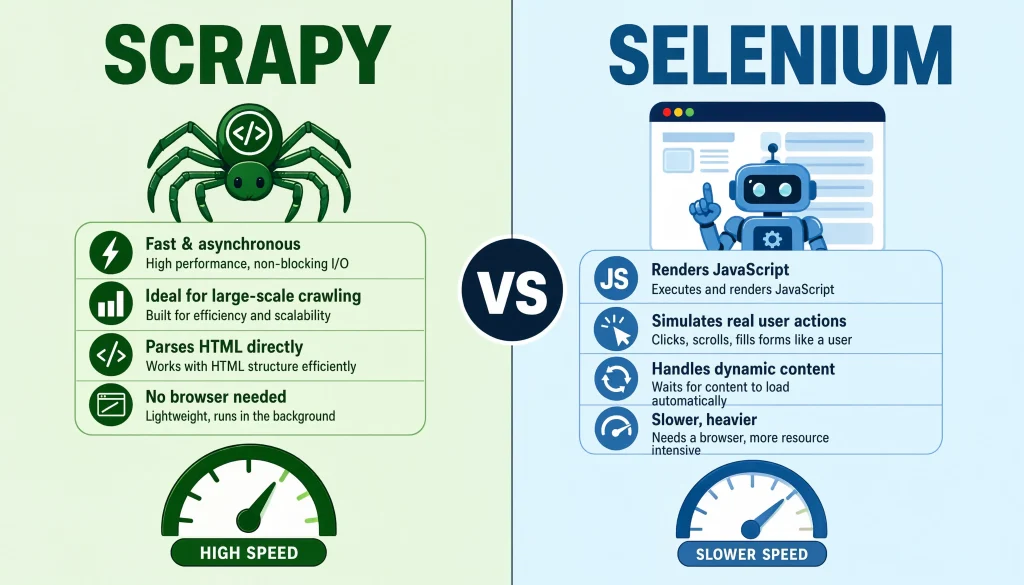
The real difference is this:
- Scrapy: Thinks like a crawler.
- Selenium: Thinks like a browser user.
Scrapy wants URLs, responses, selectors, pipelines, and scheduled requests. Selenium wants a live browser window, DOM events, clicks, waits, and interaction flows. That difference shapes everything from speed to scaling cost to maintenance burden.
When I review scraping projects, the most expensive mistakes usually happen when developers use Selenium for tasks that could have been done with plain HTTP requests, or when they force Scrapy onto highly interactive apps that clearly need a browser. Choosing the right abstraction early saves a huge amount of engineering time later.
Feature comparison table
| Category | Scrapy | Selenium |
|---|---|---|
| Primary purpose | Web crawling and structured scraping | Browser automation and interaction |
| Speed | Fast for large crawls due to async scheduling | Slower because it runs a real browser |
| JavaScript handling | Limited by default, better when reproducing requests or adding browser integrations | Strong, because the browser executes JavaScript |
| Scalability | Excellent for high-volume crawling | Expensive at scale compared with request-based scraping |
| Data pipelines | Built-in with items, pipelines, exports | Must be assembled manually |
| Browser interaction | Weak by itself | Core strength |
| Resource usage | Lower CPU and memory footprint | Higher CPU and memory footprint |
| Best fit | Listings, catalogs, content archives, large datasets | Dynamic apps, logins, clicks, multi-step flows |
| Learning curve | Framework-oriented, requires project structure | Easier to start, harder to maintain at scale |
| Maintenance risk | Lower for stable HTML or API-backed targets | Higher for UI-driven scripts and DOM changes |
This comparison follows directly from how both tools are designed. Scrapy is a crawler framework with async scheduling and built-in scraping features, while Selenium is a W3C WebDriver-based browser automation system intended to control browsers like a user would.
Speed: Which one is faster?
Scrapy: Usually wins on speed for pure scraping.
Scrapy’s architecture is asynchronous, which means it can process many requests concurrently and keep crawling even when some requests are delayed or fail. It also includes politeness controls such as download delay, per-domain concurrency limits, and auto-throttling. For broad site crawling and structured extraction, that makes Scrapy far more throughput-friendly than browser automation.
Selenium: Usually loses on raw throughput.
Selenium opens and controls a real browser. That gives it rendering power, but it also adds startup overhead, memory use, JavaScript execution time, browser stability issues, and synchronization complexity. If you need to visit 20 pages, Selenium may feel fine. If you need 200,000 pages, the economics change fast.
Practical takeaway: For speed, Scrapy is usually the first choice unless browser rendering is mandatory.
JavaScript and dynamic content: Which one handles it better?
Selenium: Better by default.
If the page only becomes useful after JavaScript runs, Selenium can simply open the page and let the browser do the work. That makes it easier for developers who want the rendered result rather than the underlying request logic.
Scrapy: Smarter when used the right way.
Scrapy’s official guidance is especially important here. The docs recommend that when a site loads data dynamically, you should first identify the actual data source and reproduce the network requests that fetch the data. Scrapy explicitly says this is the preferred approach because it usually yields more structured, complete data with less parsing time and less network transfer. Only when reproducing the request is too difficult, or when you specifically need rendered output, should you use a headless browser.
That is a crucial distinction for serious scraping. Selenium often looks easier in the first hour. Scrapy’s request-reproduction approach is often better in month three, when you need the scraper to be fast, stable, and cheap to run.
Scrapy has a modern answer to JavaScript too
A lot of outdated comparison articles act as if Scrapy cannot work with JavaScript-heavy pages. That is no longer a fair summary.
The better way to say it is this: Scrapy does not want to render JavaScript unless necessary. It prefers reproducing the data request directly. When a browser really is needed, tools such as scrapy-playwright let Scrapy handle JavaScript-reliant pages while preserving the regular Scrapy workflow. PyPI describes scrapy-playwright as a Scrapy download handler that performs requests using Playwright for Python without interfering with request scheduling or item processing.
Why this matters: The real 2026 comparison is no longer “Scrapy cannot do JS.” It is “Should you use browser rendering as the primary approach, or only where it is justified?”
Ease of use: Which one is easier for beginners?
Selenium: Feels easier at first.
A beginner can often write a Selenium script in one file, open a browser, locate an element, click it, and scrape visible text. The feedback loop is immediate, which is why many new scrapers start there.
Scrapy: Feels harder at first, but cleaner later.
Scrapy asks you to think in spiders, callbacks, pipelines, settings, and crawling logic. That structure can feel heavier in the beginning. However, once the project grows, that same structure becomes an advantage because exports, item processing, concurrency, retries, and crawl logic are not bolted on later. They are already part of the framework.
Experience-based takeaway: If you only care about the first successful scrape, Selenium often feels easier. If you care about long-term maintainability, Scrapy usually ages better.
Maintenance: Which one breaks more often?
Selenium: Usually breaks more often on UI changes.
Selenium scripts often depend on locators, click paths, timing, and layout assumptions. Selenium’s own documentation encourages the Page Object Model because test and automation code becomes hard to maintain when locators and page behavior are mixed directly into scripts. That guidance is revealing. It shows how quickly browser automation can become brittle if it is not designed carefully.
Scrapy: Usually breaks less often when the source is stable.
If you are scraping APIs, embedded JSON, HTML patterns, or predictable response data, Scrapy scripts tend to be less fragile than browser scripts. They depend less on layout timing and more on data structure.
Important nuance: If a site changes its data endpoints or anti-bot posture, Scrapy can break too. But UI-driven scraping generally creates more maintenance churn than request-driven scraping.
Scaling: Which one is better for production scraping?
Scrapy: Better for large-scale production pipelines.
Scrapy was built for crawling. It supports asynchronous request scheduling, retries, middleware, exports, pipelines, throttling, depth control, and session management features that matter when jobs become large. It is simply much closer to what a production scraping framework should look like.
Selenium: Better for targeted, browser-required workflows.
Selenium can absolutely be used in production, but scaling browser automation is more expensive in CPU, RAM, container orchestration, timeout handling, and browser crash management. It is usually the right tool when browser behavior is the product requirement, not just a convenience.
A good operations mindset: Every browser instance is a cost center. Every direct request is cheaper.
SEO and data extraction use cases: Which tool fits which job?
Choose Scrapy if your goal is:
Structured data extraction: Product feeds, article archives, category pages, job listings, event directories, business databases, ecommerce monitoring, pricing intelligence, internal content ingestion, SERP-adjacent enrichment pipelines.
Why: Scrapy is designed to follow links, paginate, normalize output, and export data cleanly.
Choose Selenium if your goal is:
Browser-dependent workflows: Login-gated dashboards, click-to-reveal interfaces, infinite-scrolling UIs, visual state verification, complex form submission, modal-heavy apps, browser interaction testing, and situations where the rendered DOM is the only practical source of truth.
Choose a hybrid approach if your goal is:
Efficiency with selective rendering: Crawl with Scrapy for most URLs, then send only the small subset of JavaScript-heavy or interaction-heavy pages through a browser layer. In real projects, this often gives the best balance of speed and reliability.
A practical decision framework
Before choosing Scrapy or Selenium, ask these questions:
1. Is the data already in the network response?
If yes: Start with Scrapy. Scrapy’s docs recommend finding and reproducing the real data requests whenever possible.
2. Do I need to click, type, scroll, or wait for rendered UI state?
If yes: Selenium becomes more attractive because it controls a browser natively.
3. Am I scraping 100 pages or 1 million pages?
If the number is large: Scrapy usually wins on efficiency and infrastructure cost.
4. Will the site’s UI change often?
If yes: Selenium maintenance cost goes up faster because DOM-based workflows are more brittle. Selenium’s own docs push abstraction patterns like Page Objects for exactly this reason.
5. Do I need screenshots or full rendered page state?
If yes: A browser tool such as Selenium is often justified.
Common misconception: “Selenium is more powerful, so it is always better”
This is one of the most expensive myths in scraping.
Yes, Selenium can do more in the browser. But more capability does not mean better tool choice. A forklift is more powerful than a bicycle, but you do not use it to cross the living room. For many scraping jobs, Selenium introduces unnecessary browser overhead, more failure points, slower throughput, and harder debugging.
The better question is not “Which tool is more powerful?” The better question is “What is the cheapest reliable way to get the data?”
Common misconception: “Scrapy cannot scrape modern sites”
Also false.
Scrapy can scrape many modern sites very effectively if you identify the underlying requests, parse embedded structured data, or selectively integrate a rendering layer. Scrapy’s own documentation gives a clear hierarchy: inspect the data source, reproduce the request, parse embedded JavaScript data if needed, and only then fall back to a browser. That is a mature scraping philosophy, not a limitation.
My practical recommendation for most teams
If you are building a serious scraping workflow in 2026, this is the decision path I would recommend:
- Start with Scrapy for architecture, crawling, request control, item pipelines, and exports.
- Inspect the network first before rendering anything. Scrapy explicitly recommends this.
- Use browser automation only where necessary for JavaScript execution or user interaction.
- Do not scale Selenium-first scraping unless the target truly requires it.
That approach usually produces faster scrapers, lower hosting cost, cleaner data, and fewer maintenance headaches.
FAQs About Scrapy vs Selenium:
Is Scrapy faster than Selenium?
Yes, in most scraping scenarios. Scrapy uses asynchronous request scheduling and is designed for crawling large numbers of pages efficiently. Selenium runs a real browser, which adds much more overhead.
Can Scrapy handle JavaScript websites?
Yes, but its preferred approach is to reproduce the underlying network requests rather than render the page. When rendering is necessary, integrations such as scrapy-playwright can help.
Is Selenium good for web scraping?
Yes, especially when the site needs clicks, form input, scroll behavior, or browser-executed JavaScript. It is good for scraping, but it is not optimized for high-throughput crawling the way Scrapy is.
Which is better for beginners?
Selenium often feels easier at the beginning because it mimics user actions directly. Scrapy usually has the better long-term structure once the project grows.
Which one is better for large-scale production scraping?
Scrapy is usually the better foundation because it was built as a crawling and extraction framework with async scheduling, pipelines, exports, and extensibility built in.
What versions are current in 2026?
PyPI shows Scrapy 2.16.0 released on May 19, 2026, and Selenium 4.45.0 released on June 15, 2026.
Final verdict
Scrapy vs Selenium: Which one wins?
Scrapy wins if your priority is speed, scale, structured extraction, crawling depth, and production efficiency.
Selenium wins if your priority is browser rendering, user interaction, dynamic UI handling, and end-to-end automation in a real browser.
The smartest answer for most advanced users: They are not enemies. They are layers. Scrapy should usually be your first scraping framework. Selenium should usually be your exception layer for pages that cannot be handled cleanly through direct requests.
If you are choosing only one for a typical data extraction project, choose Scrapy first. If the site proves that it genuinely needs browser automation, add Selenium deliberately, not by default.
You May Also Like
 Web Scraping
What Is Web Scraping and How Does It Work? A Complete 2026 Guide
 Web Scraping
How to Handle CAPTCHA While Scraping: A 2026 Developer’s Guide
 Proxies
Best Proxies for Web Scraping In 2026: How I Choose the Right Provider and Proxy Type
 Web Scraping
Cloudflare Blocking Scrapers Explained: Your 2026 Guide to Anti-Bot Protection
 Web Scraping
How Google Maps Scraping Actually Works (And Where Most Attempts Go Wrong)
 Web Scraping
Scrap.io Review 2026: What This Google Maps Lead Generation Tool Actually Gets Right (and Where It Falls Short)
 Web Scraping
The 7 Best PHP Web Scraping Libraries of 2026: The Ultimate Guide
 Use Cases
Inside Kimwolf Traffic: How Residential Proxies Fuel Credential Stuffing, Web Scraping, & Fraud
 Web Scraping