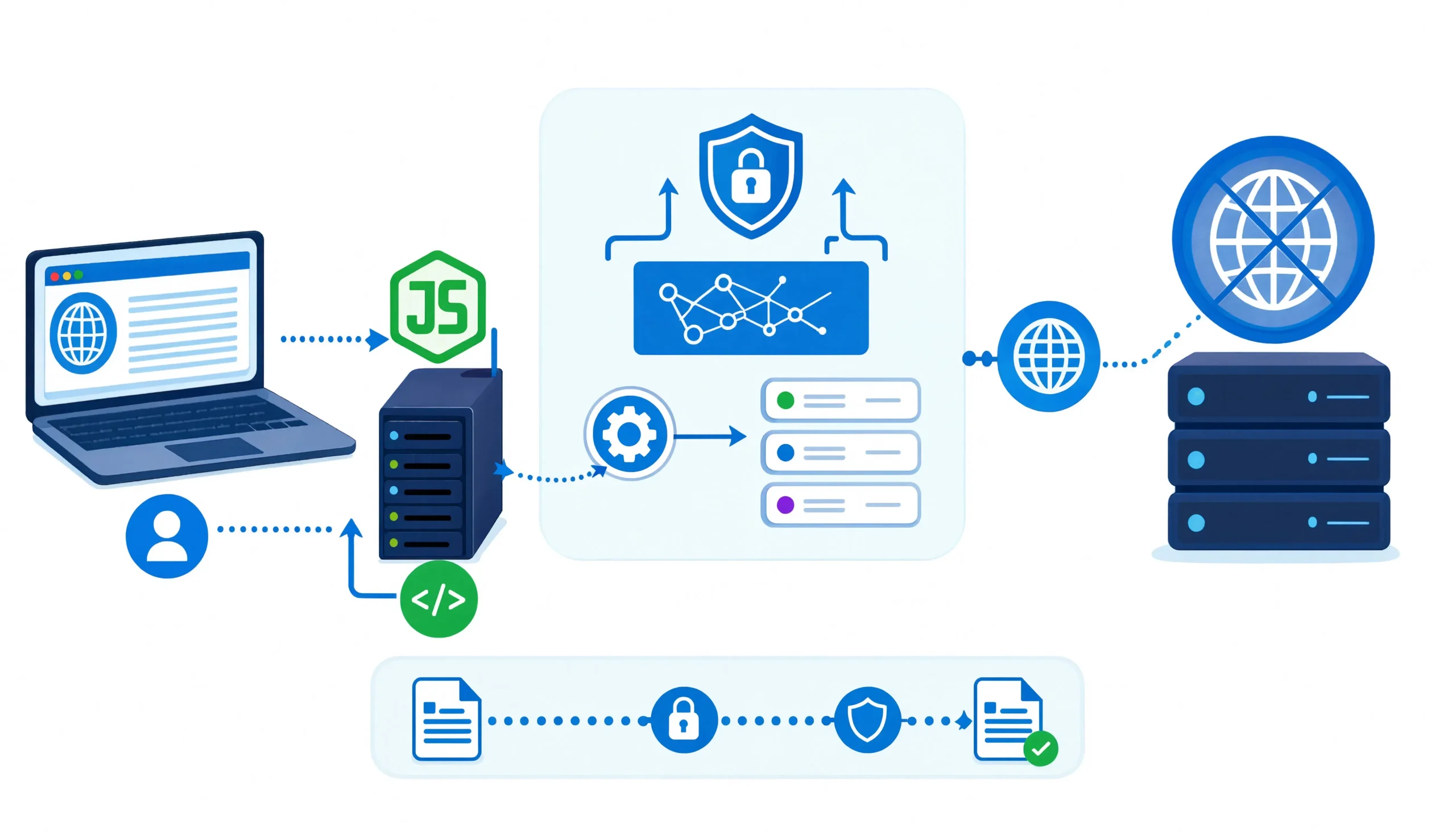
If you need a Node.js proxy that can rewrite links, preserve cookies, keep AJAX requests inside the same proxy flow, and still give you room to add custom middleware, Node Unblocker is still one of the most practical tools in the category. The catch is that you need to use it for the right jobs, secure it properly, and understand where it breaks on modern, anti-bot-heavy sites.
Quick answer for developers
Node Unblocker is an Express-compatible web proxy library that rewrites remote pages so links, assets, cookies, and many browser-side requests continue to route through your server. In real-world terms, that makes it useful for private browsing gateways, internal mirrors, controlled content transformation, and some scraping workflows where plain request forwarding is not enough. It is not a magic bypass for OAuth, postMessage-heavy apps, or advanced anti-bot stacks.
Who this guide is for
This guide is written for developers, scraping engineers, technical founders, and internal-tool builders who are trying to solve one of these problems:
- proxy a full page instead of just an API response
- rewrite HTML or CSS before it reaches the browser
- keep cookies and subresources working through a proxy prefix
- pair a content-rewriting proxy with a headless browser
- reduce breakage on dynamic pages without building a proxy stack from scratch
Reader intent: Most people searching for “Node Unblocker” are not looking for theory. They want to know whether it still works, how to install it correctly, how to harden it, and when to stop using it and switch to browser automation or managed unblocking stack instead.
Node Unblocker: What it actually does
At a technical level, Node Unblocker fetches a remote page on the server, rewrites URLs so they point back through your proxy, adjusts cookies so sessions stay scoped to the proxied path, injects client-side helpers for things like XMLHttpRequest and WebSockets, and streams the result back without buffering the entire page. That streaming-first design is one reason it has stayed relevant for lightweight proxying tasks.
Why it matters: A normal reverse proxy can forward traffic. Node Unblocker is useful when you need browser-facing rewriting rather than simple pass-through.
2026 reality check before you adopt it
Here is the practical state of the project in 2026:
| Signal | What it tells you |
|---|---|
| npm package unblocker shows version 2.3.1 | The published package is available and installable |
| npm listing shows about 415 weekly downloads | It is niche, not dead-center mainstream |
| npm listing shows last publish about 2 years ago | You should treat it as stable but not fast-moving |
| GitHub source package.json shows 2.3.2 and node >=16.17 | The repository head appears ahead of the latest npm release |
Practical takeaway: Node Unblocker is still usable, but this is not the kind of package you adopt blindly for mission-critical, constantly changing consumer apps. For internal tools, controlled proxying, content rewriting, and experimental scraping infrastructure, it remains viable. For hostile targets with anti-bot protection, it should be only one layer in the stack.
When Node Unblocker is the right tool
Use it when you need:
Full-page proxying with rewritten subresources
If the browser must load HTML, images, CSS, script references, and follow-up requests through your server, Node Unblocker is a better fit than a simple API proxy because it rewrites those browser-facing paths for you.
In-flight content transformation
Its request and response middleware let you inject banners, strip markup, redact selectors, modify cookies, or normalize responses before the user sees them. That makes it useful for internal mirrors, compliance overlays, controlled content previews, or scraping gateways that need light response shaping.
Hybrid scraping stacks
In practice, one of the better use cases is combining Node Unblocker with a headless browser. Let the proxy handle path rewriting and cookie flow, then let Puppeteer render JavaScript-heavy pages and wait on selectors before extraction.
When not to use it
Do not choose Node Unblocker just because the target is “hard.”
OAuth and postMessage flows
The official project notes that OAuth logins and apps that rely heavily on postMessage do not work reliably out of the box. That includes common third-party sign-in flows.
Advanced SPAs and anti-bot platforms
The official docs also call out advanced sites like Discord, Instagram, and YouTube as problematic. From a practical scraping perspective, Cloudflare-style bot checks, browser integrity challenges, and device-fingerprint systems are outside Node Unblocker’s scope.
Simple API forwarding
If all you need is to forward JSON between services, Node Unblocker is overkill. Its value comes from HTML/CSS rewriting, cookie path fixes, and client-side proxy continuity.
Installation
mkdir node-unblocker-demo
cd node-unblocker-demo
npm init -y
npm install express unblocker
If you plan to render dynamic pages in a real browser context, add Puppeteer:
npm install puppeteer
The official package installation remains straightforward, and the current source package metadata shows support for Node.js >=16.17.
Minimal server that actually works
This is the smallest setup I would publish in a tutorial because it includes the piece many developers forget: WebSocket upgrade handling.
const express = require('express');
const Unblocker = require('unblocker');

const app = express();

const proxy = new Unblocker({
  prefix: '/proxy/',
});

app.use(proxy);

app.get('/', (req, res) => {
  res.send('Proxy is live. Try /proxy/https://example.com/');
});

const port = process.env.PORT || 3000;
const server = app.listen(port, () => {
  console.log(`Listening on http://localhost:${port}`);
});

server.on('upgrade', proxy.onUpgrade);
Why this version matters: The official docs say Node Unblocker should be mounted as one of the first app.use() calls and not on a subdirectory. They also show the upgrade handler as the mechanism that allows proxied WebSockets to work. Skip either detail and you will debug avoidable failures later.
The features most people miss
A lot of shallow tutorials stop at “it proxies pages.” The more useful details are these:
Built-in content rewriting
By default, Node Unblocker processes text-like content types such as:
text/htmltext/cssapplication/xhtml+xmlapplication/xml+xhtml
That is important because JSON, images, and fonts are generally not being rewritten the same way. If a workflow depends on deep transformation of non-text assets, you need to design around that.
Built-in middleware behavior
The project includes middleware that handles:
- host and referer correction
- cookie path rewriting
- redirect rewriting
- decompression
- charset normalization
- URL prefixing
- removal of headers like HSTS, HPKP, and CSP that can break proxy behavior
- injection of a
noindex, nofollowrobots meta tag
That last point is easy to overlook but valuable if you are operating a public-facing proxy path and do not want search engines treating it like a crawlable mirror of the web.
Client-side script injection
When clientScripts is enabled, Node Unblocker injects scripts that help keep WebSockets and XMLHttpRequest traffic moving through the proxy. This is one reason it performs better than a naive HTML fetch-and-return approach.
A production-minded setup
A safer and more practical implementation usually adds three things:
- SSRF protection
- outbound proxy support
- request logging and guardrails
Here is a cleaner starting point:
const express = require('express');
const Unblocker = require('unblocker');
const { HttpsProxyAgent } = require('https-proxy-agent');

const app = express();

const upstreamAgent = process.env.UPSTREAM_PROXY
  ? new HttpsProxyAgent(process.env.UPSTREAM_PROXY)
  : null;

function basicSsrfGuard(data) {
  const hostname = new URL(data.url).hostname;

  const blocked =
    hostname === 'localhost' ||
    hostname.startsWith('127.') ||
    hostname.startsWith('10.') ||
    hostname.startsWith('192.168.') ||
    /^172\.(1[6-9]|2\d|3[0-1])\./.test(hostname);

  if (blocked) {
    data.clientResponse.status(403).send('Target blocked');
  }
}

function attachUpstreamProxy(data) {
  if (upstreamAgent) {
    data.agent = upstreamAgent;
  }
}

function randomUserAgent(data) {
  const pool = [
    'Mozilla/5.0 (Windows NT 10.0; Win64; x64) AppleWebKit/537.36 (KHTML, like Gecko) Chrome/126.0 Safari/537.36',
    'Mozilla/5.0 (Macintosh; Intel Mac OS X 14_5) AppleWebKit/605.1.15 (KHTML, like Gecko) Version/17.5 Safari/605.1.15',
    'Mozilla/5.0 (X11; Linux x86_64) AppleWebKit/537.36 (KHTML, like Gecko) Chrome/126.0 Safari/537.36'
  ];

  data.headers['user-agent'] = pool[Math.floor(Math.random() * pool.length)];
}

const proxy = new Unblocker({
  prefix: '/proxy/',
  requestMiddleware: [
    basicSsrfGuard,
    attachUpstreamProxy,
    randomUserAgent
  ]
});

app.use(proxy);

const server = app.listen(process.env.PORT || 3000, () => {
  console.log('Node Unblocker proxy started');
});

server.on('upgrade', proxy.onUpgrade);
OWASP security guidance you should not skip
If you expose a URL-fetching or open-proxy-style endpoint, a simple hostname blocklist is only a first step. OWASP recommends validating that targets resolve to public IP space, checking all resolved A/AAAA records to prevent DNS pinning tricks, restricting protocols, and disabling automatic redirects so attackers cannot bounce from a public URL into an internal destination.
Best practice: For anything beyond a private internal tool, treat SSRF mitigation as a core feature, not a nice-to-have.
Routing traffic through an upstream proxy
If you do not set an outbound agent, Node Unblocker uses your server’s IP for remote requests. That is fine for development and some internal uses, but it is often the wrong choice for scraping or availability testing. The https-proxy-agent package provides an http.Agent that tunnels HTTPS and WebSocket traffic through an HTTP or HTTPS proxy using the CONNECT method.
const { HttpsProxyAgent } = require('https-proxy-agent');

const agent = new HttpsProxyAgent('http://username:password@proxy-host:3128');

function useProxy(data) {
  data.agent = agent;
}
Why it matters: This is the cleanest way to pair Node Unblocker with residential proxies, ISP proxies, or controlled corporate egress. The current npm registry metadata lists https-proxy-agent at version 9.1.0, so you are working with a mature and actively used dependency rather than a niche helper.
Puppeteer: How to use it with Node Unblocker
For JavaScript-heavy pages, the common mistake is waiting on the wrong lifecycle event. page.goto() is useful, but on hydrated pages you usually need a follow-up waitForSelector() tied to the actual content you want. Puppeteer’s docs confirm that waitForSelector() resolves when the selector appears and throws on timeout, which makes it the better extraction checkpoint for dynamic pages.
const puppeteer = require('puppeteer');

async function scrapeThroughProxy(targetUrl) {
  const browser = await puppeteer.launch({ headless: true });
  const page = await browser.newPage();

  const proxied = `http://localhost:3000/proxy/${targetUrl}`;

  await page.goto(proxied, { waitUntil: 'domcontentloaded' });
  await page.waitForSelector('.results-grid', { timeout: 10000 });

  const rows = await page.$$eval('.results-grid .item', (els) =>
    els.map((el) => el.textContent.trim())
  );

  await browser.close();
  return rows;
}
Why networkidle2 is not always the best choice
In practice, networkidle2 sounds safer than it is. Pages with long-polling, analytics, or background requests can keep the network active long after the useful content is ready. A selector-based wait often produces more stable scraping results and fewer false timeouts.
Content transformation with response middleware
One of the underrated benefits of Node Unblocker is that you can modify the response stream before the browser receives it. That makes it useful for:
- injecting support banners
- removing legal-risk elements from mirrored pages
- inserting internal analytics
- stripping popups or ad placeholders
- normalizing markup before downstream parsing
The official docs show that custom request and response middleware can inspect headers, short-circuit requests, or transform streamed content.
const { Transform } = require('stream');

function injectBanner(data) {
  if (data.contentType === 'text/html') {
    const replaceStream = new Transform({
      decodeStrings: false,
      transform(chunk, enc, cb) {
        const html = chunk.toString().replace(
          '</body>',
          '<div style="position:fixed;bottom:0;left:0;right:0;padding:12px;background:#111;color:#fff;z-index:9999">Previewed through internal proxy</div></body>'
        );
        this.push(html);
        cb();
      }
    });

    data.stream = data.stream.pipe(replaceStream);
  }
}
Troubleshooting that saves hours
Mount order problems
Symptom: broken paths, odd redirects, or partial rewriting.
Cause: Node Unblocker was not mounted early enough in the Express stack.
Fix: put app.use(unblocker) near the top, as the official docs recommend.
WebSocket failures
Symptom: the page loads, but live components or persistent app features fail.
Cause: missing server.on('upgrade', unblocker.onUpgrade).
Fix: attach the upgrade handler on the listening server.
Reverse proxy redirect loops
Symptom: endless redirects when fronting the app with Nginx.
Fix: the project’s troubleshooting notes recommend disabling merge_slashes.
merge_slashes off;
Broken high-security sites
Symptom: login loops, failed embedded auth, blank app shell, or JS errors on modern consumer platforms.
Likely cause: the site depends on OAuth, postMessage, or anti-bot checks outside Node Unblocker’s comfort zone.
Fix: switch strategy instead of piling on hacks.
Node Unblocker vs other proxy approaches
| Approach | Best for | Weakness |
|---|---|---|
| Node Unblocker | Full-page proxying, HTML/CSS rewriting, browser-facing middleware | Breaks on some advanced apps and auth flows |
| Simple API proxy | JSON forwarding, backend-to-backend routing | Does not solve browser-side rewriting |
| Headless browser only | JS rendering and interaction | Heavier, slower, more expensive |
| Managed unblocking stack | Anti-bot-heavy targets at scale | Higher cost, less control |
Real-world guidance: If your problem is “rewrite the site so it still behaves through my domain or route,” start with Node Unblocker. If your problem is “beat modern anti-bot detection at scale,” start elsewhere.
Licensing note for commercial teams
This is not just a technical choice. The project is licensed under AGPL-3.0, and the repository also notes that commercial licensing and support are available from the maintainer. If you are building a commercial SaaS or embedding it into proprietary infrastructure, have legal or compliance review that license before rollout.
FAQ About Node Unblocker Proxy:
Is Node Unblocker still worth using in 2026?
Yes, for the right scope. It is still useful for controlled web proxying, internal tools, page rewriting, and some scraping workflows. It is less compelling as a universal solution for modern, heavily defended consumer sites.
Does Node Unblocker bypass Cloudflare or DataDome?
No. It can proxy and rewrite content, but anti-bot systems usually require separate browser fingerprinting, IP reputation, session handling, or managed unblock infrastructure.
Can it proxy WebSockets?
Yes, but only if you attach the server upgrade handler. The official examples explicitly include on('upgrade', unblocker.onUpgrade).
Can I use it with Puppeteer?
Yes. A strong pattern is to open the proxied URL in Puppeteer, wait for a meaningful selector, then extract content. This is especially helpful on pages that hydrate after initial HTML delivery.
What is the biggest security risk?
SSRF. Any system that accepts arbitrary user-supplied URLs and fetches them server-side can become an internal network probe unless you validate protocols, DNS resolution, redirects, and target IP ranges carefully.
Final verdict
Node Unblocker still earns its place in a modern Node.js toolkit because it solves a very specific problem well: browser-facing proxying with rewriting. If you need link rewriting, cookie handling, HTML transformation, and a proxy path that behaves more like a mirrored browsing session than a simple relay, it is still a solid option. Just go in with open eyes: harden it against SSRF, do not expect it to fix OAuth-heavy or anti-bot-protected sites, and pair it with an upstream proxy or headless browser when the target demands more than plain rewriting.
You May Also Like
 Proxies
10 Best Proxy Providers for AI Agents in 2026: The Definitive Buyer’s Guide
 Web Scraping
How to Handle CAPTCHA While Scraping: A 2026 Developer’s Guide
 Proxies
Best Proxies for Web Scraping In 2026: How I Choose the Right Provider and Proxy Type
 Proxies
Residential vs Datacenter Proxies: Use Cases and Best Providers (2026)
 Use Cases
Inside Kimwolf Traffic: How Residential Proxies Fuel Credential Stuffing, Web Scraping, & Fraud
 Web Scraping
User-Agent Rotation: What Actually Works (and What Google Detects in Milliseconds)
 Web Scraping
Web Scraping With JavaScript and Node.js: A Practical Guide
 Web Scraping
WebGL Fingerprinting in 2026: How It Works and 9 Bypass Methods That Survive Production
 Use Cases